Company Settings
Your company profile is the identity ISPBox puts on invoices, receipts, billing emails, the portal and public pages. Set your name, contact details, billing address and logo.
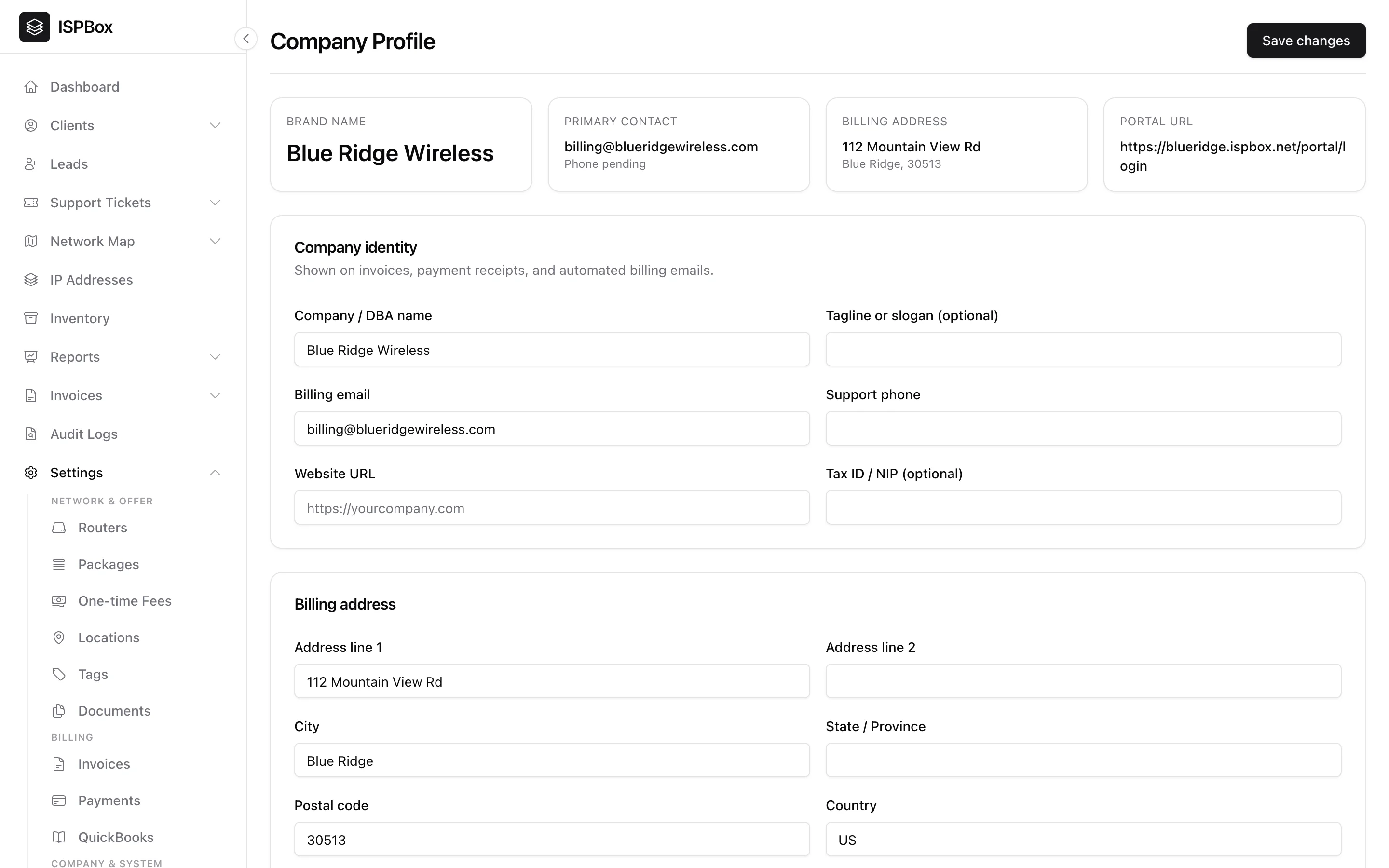
Your company profile is the identity ISPBox puts on everything customer-facing - invoices, payment receipts, automated billing emails, the customer portal and your public pages. Setting it up properly is one of the first things to do. Find it under Settings > Company (needs settings manage).
1. Company identity
The details here appear on documents your customers see, so keep them accurate:
- Company / DBA name - your trading name, shown as the sender on invoices and emails.
- Billing email - the from/reply address for billing messages.
- Support phone and Website URL - shown to customers where relevant.
- Tagline and Tax ID / NIP - optional, but the tax ID appears on invoices where required.
The summary cards at the top give you an at-a-glance check of your brand name, primary contact, billing address and portal URL.
2. Billing address
Your registered billing address (line 1/2, city, state, postal code, country) prints on invoices and receipts. Fill it in before you start sending invoices so they are complete and professional.
3. Logo and branding
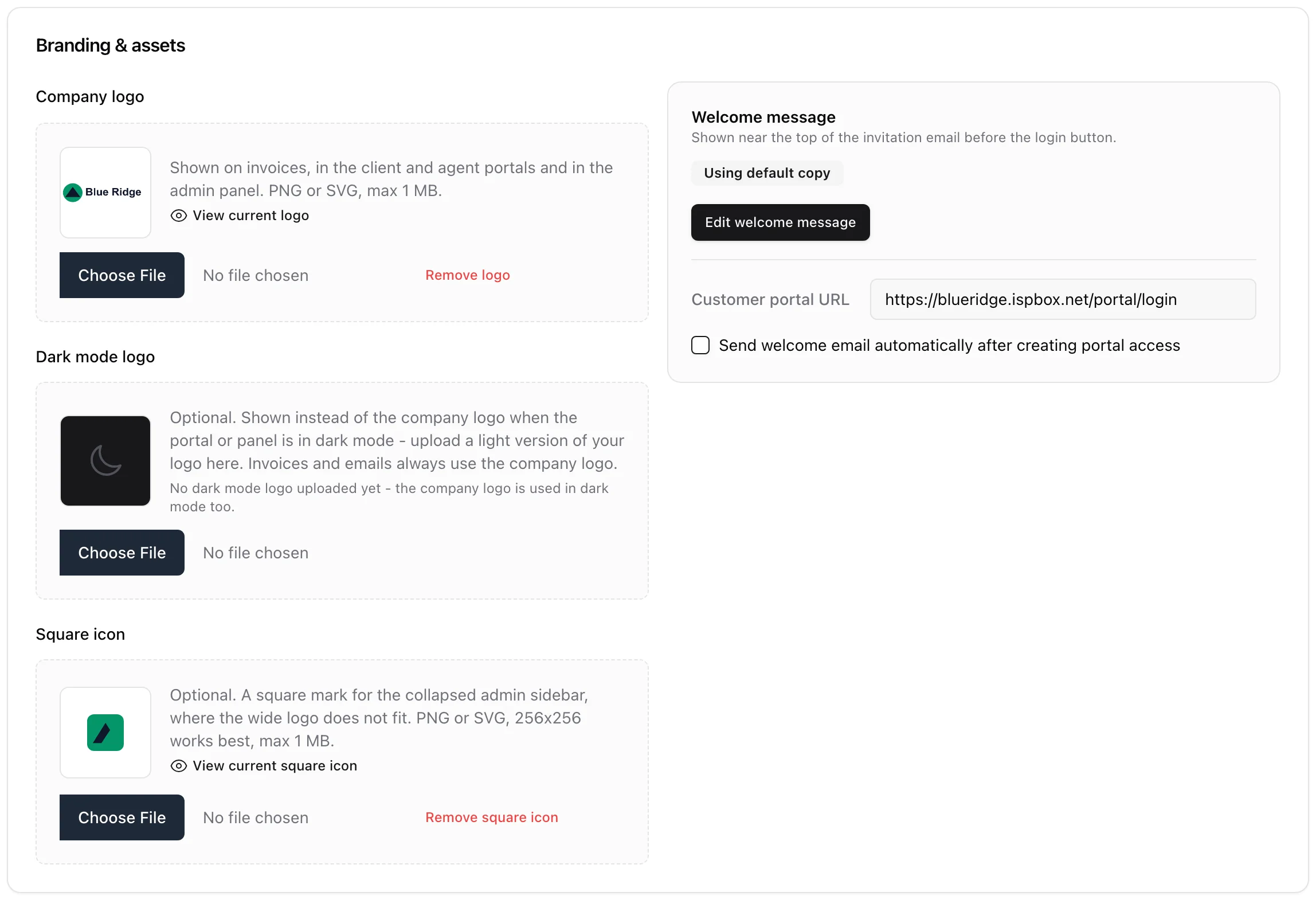
Upload your company logo in Branding & assets - it brands the customer portal, the public status and coverage pages, and your PDF invoices. PNG or SVG, up to 1 MB. Two optional extras sit next to it: a dark mode logo (a light version used when the panel or a portal is in dark mode; invoices and emails always use the main logo) and a square icon for the collapsed admin sidebar, where a wide logo does not fit. A clear logo and correct company details make everything customers receive look like it came from your business, not a generic tool. Click Save changes when done.
ISPBox trims the empty border off your logo for you. Design tools export the whole artboard, so a wordmark drawn in the middle of a Letter-sized canvas arrives with a wide margin of nothing around it - and in the portal's logo slot the mark then renders a few pixels tall while the empty border takes the space. On upload, ISPBox cuts that border: an SVG has its viewBox tightened around the shapes it actually draws, a PNG or WebP loses its transparent margins, and a small 3 % padding is kept so nothing touches the edge. JPEGs, and files whose artwork already fills the canvas, are left alone. Nothing is redrawn - the artwork is untouched, only the empty frame around it goes - and the same trim applies to the dark mode logo and the square icon. Oversized bitmaps are scaled down at the same time, which keeps invoice PDFs quick to render. If you uploaded your logo before this existed, your workspace admin can run tenants:normalize-logos once to sweep the files already stored (with --dry-run to see what it would change first).
4. Branding: hide ISPBox and use your own favicon
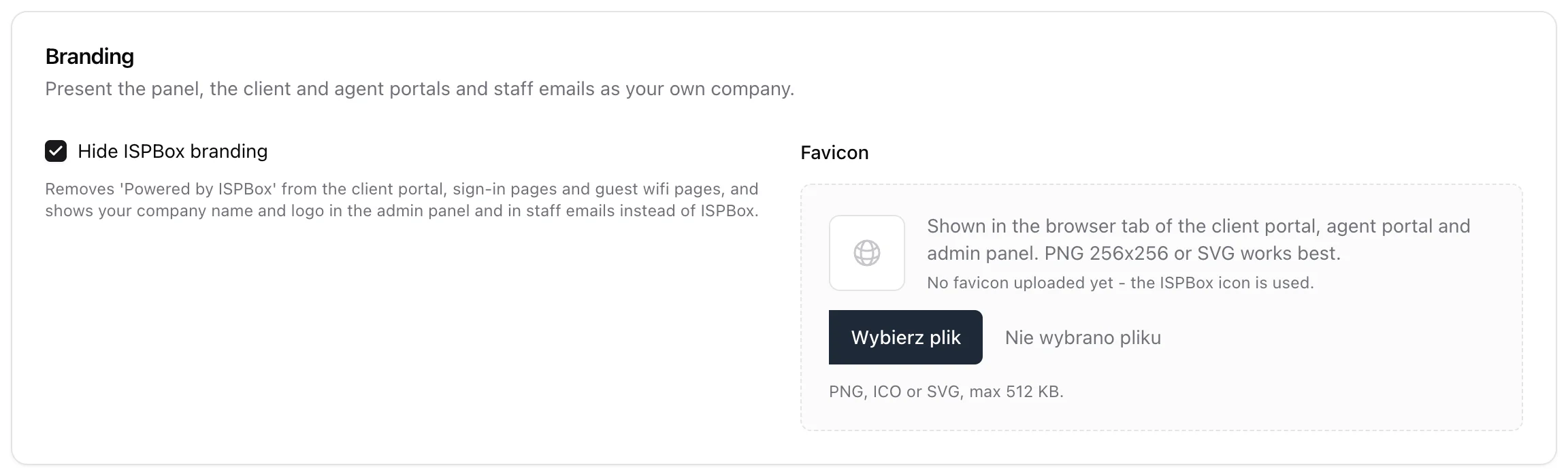
The Branding card is where you take the last ISPBox marks off what your people see:
- Hide ISPBox branding removes the "Powered by ISPBox" line from the customer portal, the sign-in pages and the guest wifi pages, shows your company name and logo instead of ISPBox in the admin panel (sidebar and browser tab) and on the staff sign-in page, and sends staff emails (invitations, password resets, email verification) with your company name and your portal address in the header and footer. The ISPBox Plan page in Settings stays, because that is your subscription with us.
- Favicon replaces the ISPBox icon in the browser tab of the customer portal, the agent portal, the sign-in pages and the admin panel. PNG, ICO or SVG up to 2 MB; a square PNG of 256 by 256 pixels or an SVG works best (larger PNGs are scaled down for you). Remove favicon goes back to the ISPBox icon.
Pair this with a custom domain set as the primary address and nothing your customers, agents or staff open carries the ISPBox name or domain. The mobile apps are the one exception: they are published in the app stores as ISPBox.