Customer Portal
A branded self-service area where customers view services, check invoices and pay online, see outage banners, and open support tickets - so they help themselves instead of calling.
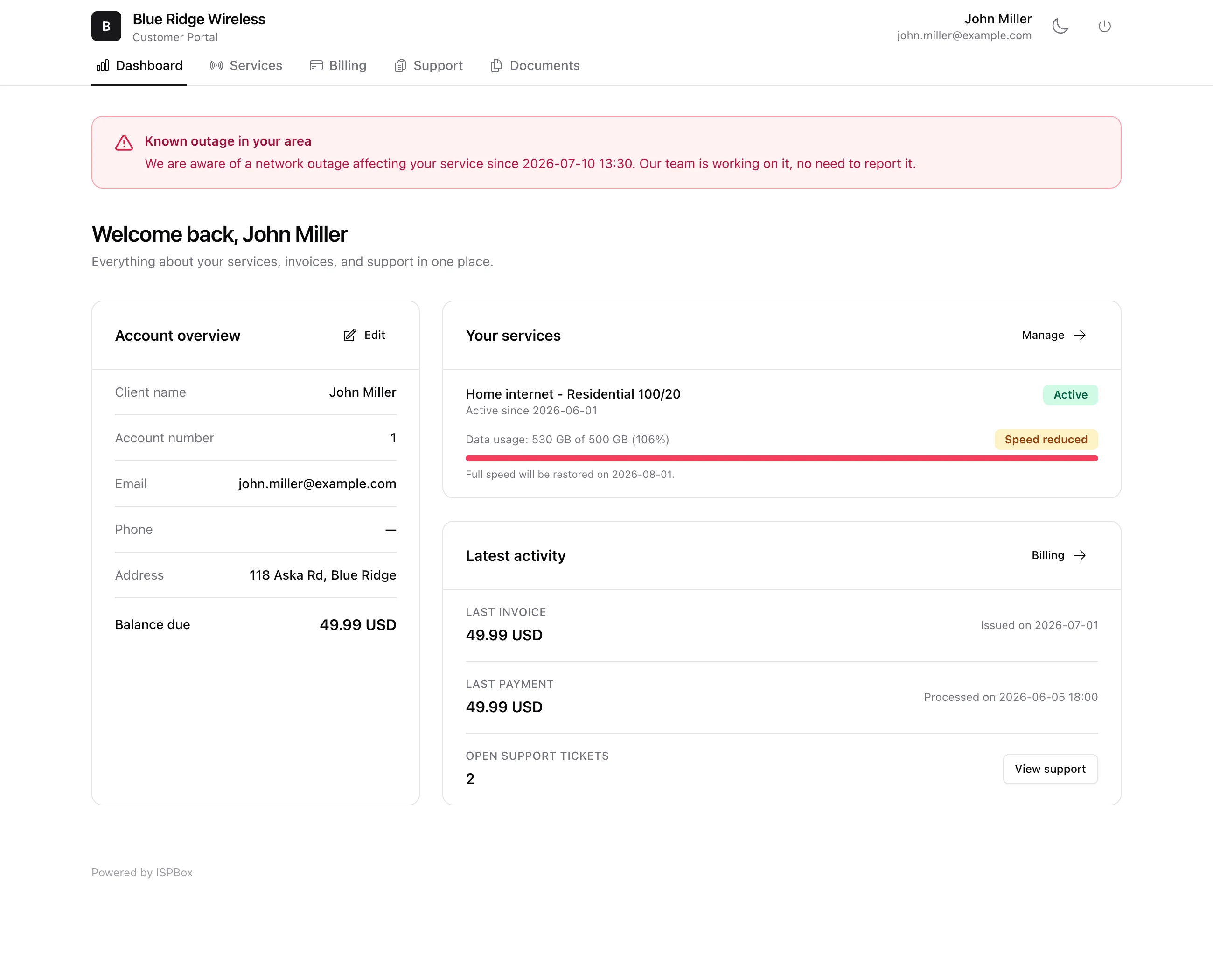
The customer portal is a self-service area your customers log into to see their services, check invoices and payments, pay online, and open support tickets - so they can help themselves instead of calling you. It is branded with your company name and logo, and lives at https://yourcompany.ispbox.net/portal. Configure what customers can do there under Settings > Customer Portal.
1. Signing in
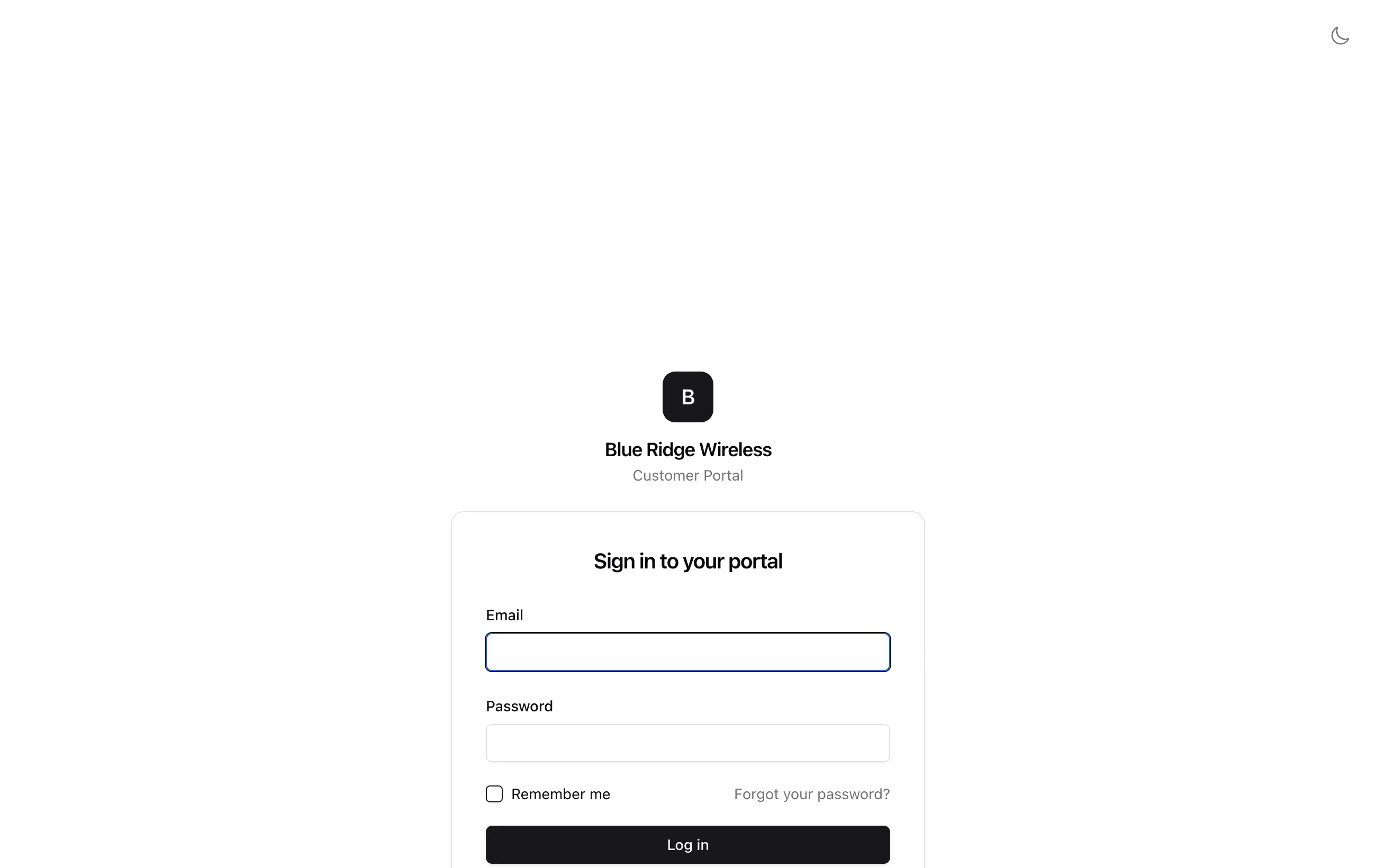
Customers sign in at /portal/login with their email and password (a Remember me option keeps them signed in), and can reset a forgotten password from /portal/forgot-password. Each customer only ever sees their own account.
2. Dashboard
The Dashboard is the customer's home. It shows their account overview (contact details and current balance), their services with live status - including a data-usage bar and a Speed reduced badge if they have hit a FUP data cap - and their latest activity (last invoice, last payment, open tickets). If they are affected by a known outage, a banner tells them so - "our team is working on it, no need to report it" - which cuts down "is it just me?" calls during an outage.
3. Services and add-ons
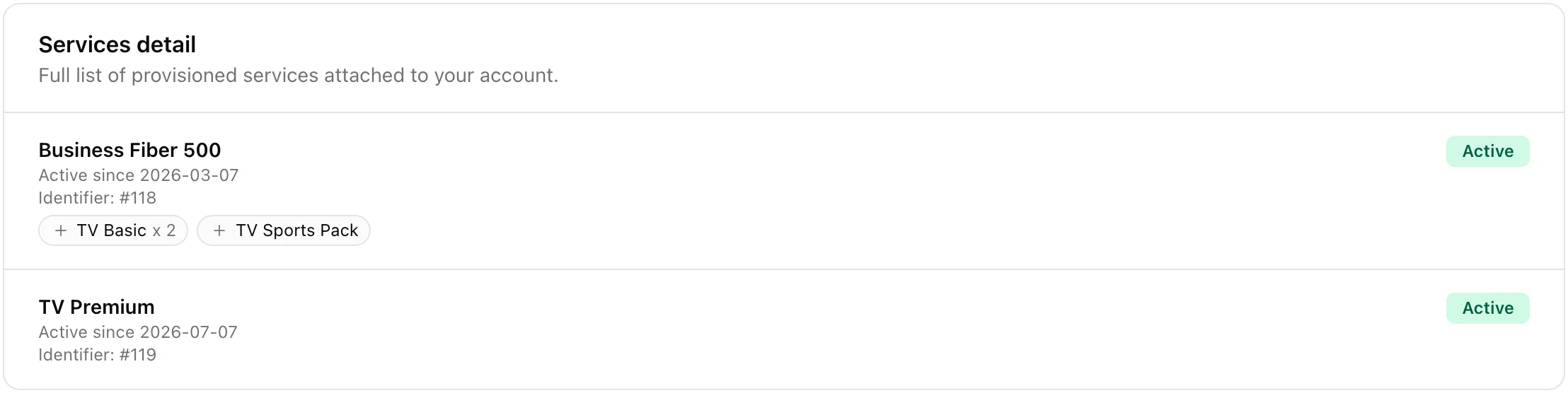
The Services tab lists every service on the account with its status and start date. Anything sold on top of a service - a TV pack, a voice line - appears as a small chip underneath it, with the number of units where there is more than one ("TV Basic x 2"). Ended add-ons and add-ons that have not started yet are not shown, and the subscriber identity behind them (an IPTV login, a set-top box ID) is never exposed to the customer. See TV and Add-on Services.
4. Billing
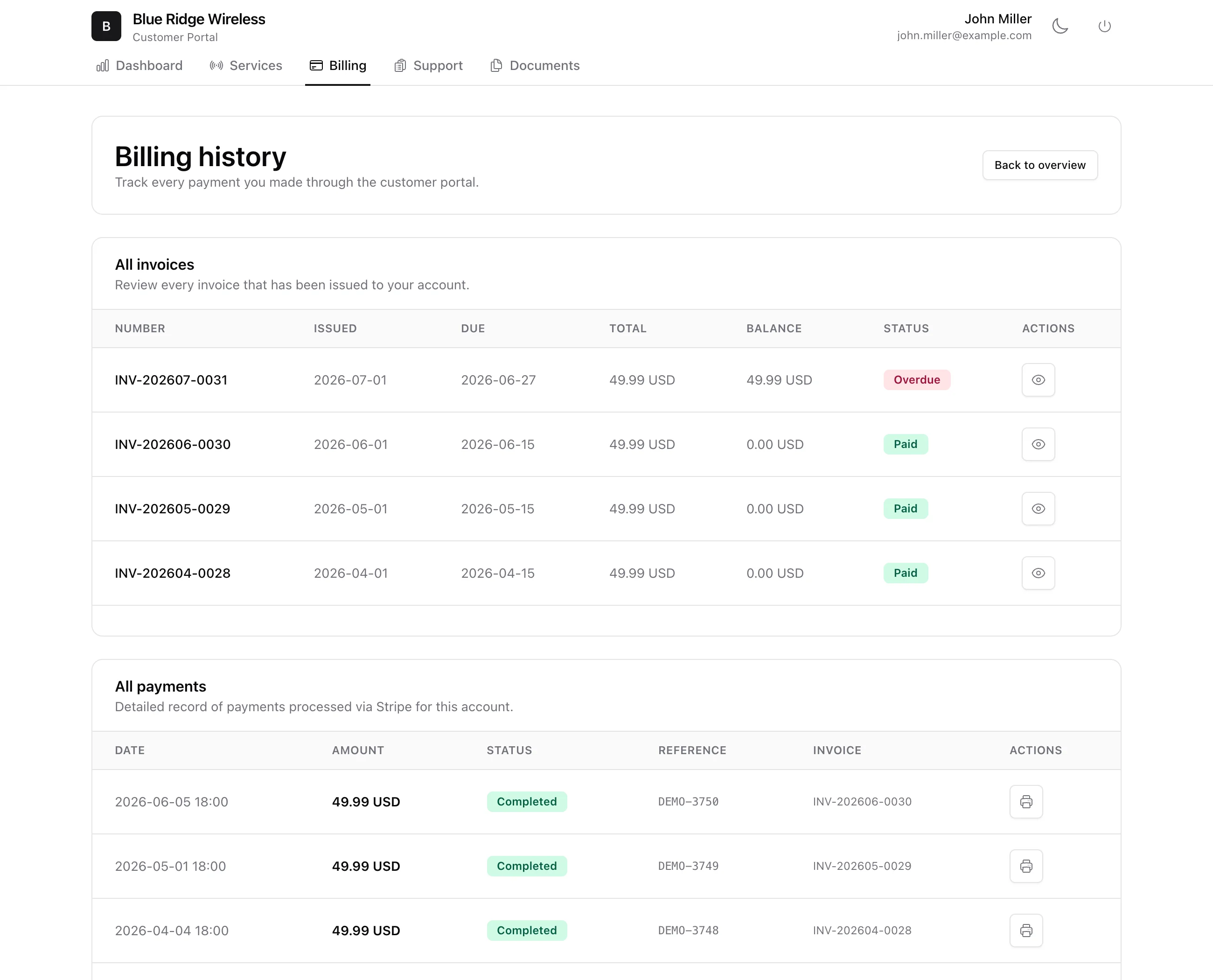
The Billing tab is the customer's full financial history: all invoices with issue/due dates, totals, balances and status (Paid, Overdue), and all payments with references and receipts. If you have connected a payment gateway, open invoices show a pay button so customers can settle up online - and save a card for autopay.
5. Support and documents
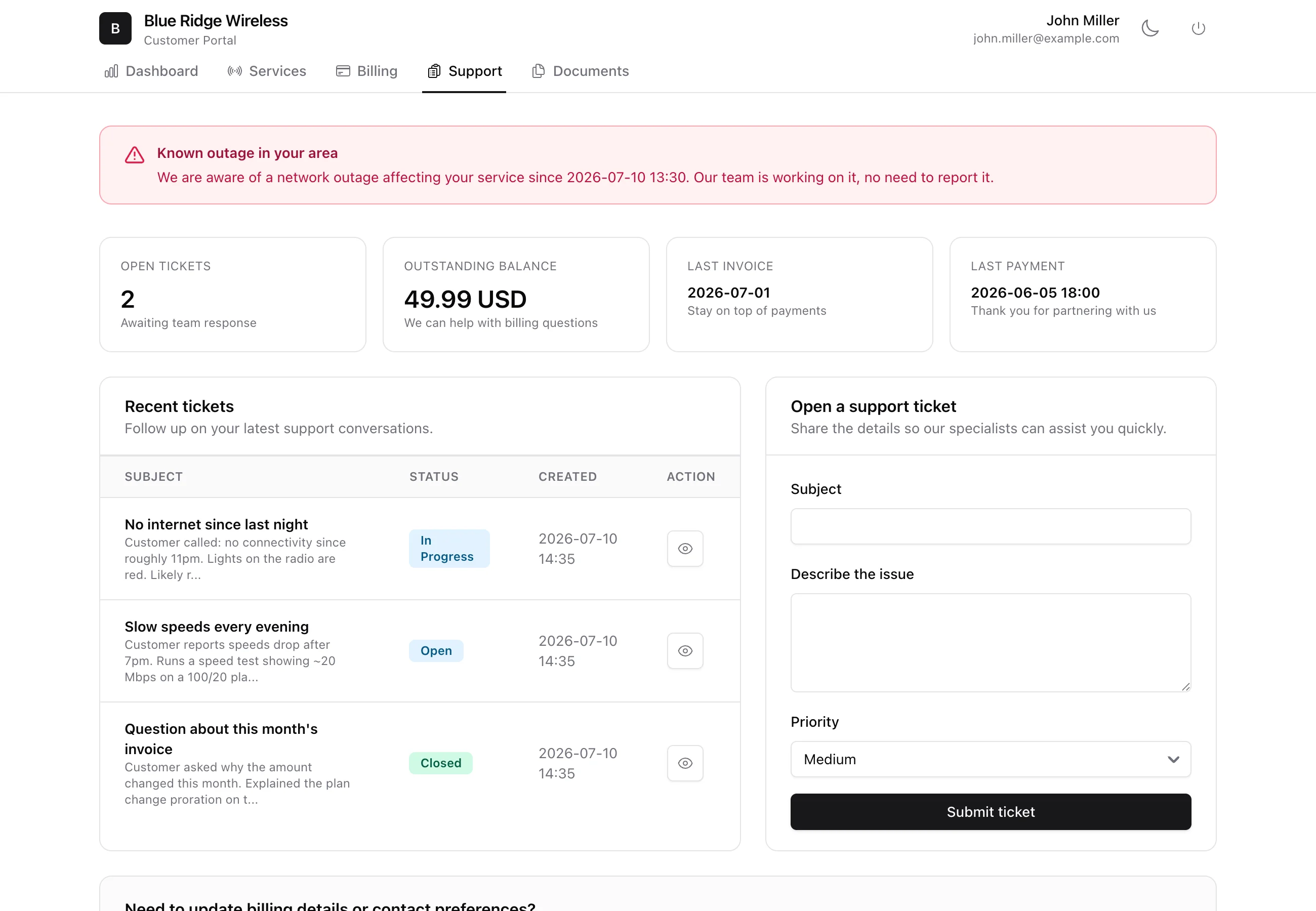
On Support, customers see their recent tickets and status, follow the conversation, and open a new ticket with a subject, description and priority - which lands straight in your ticket queue.
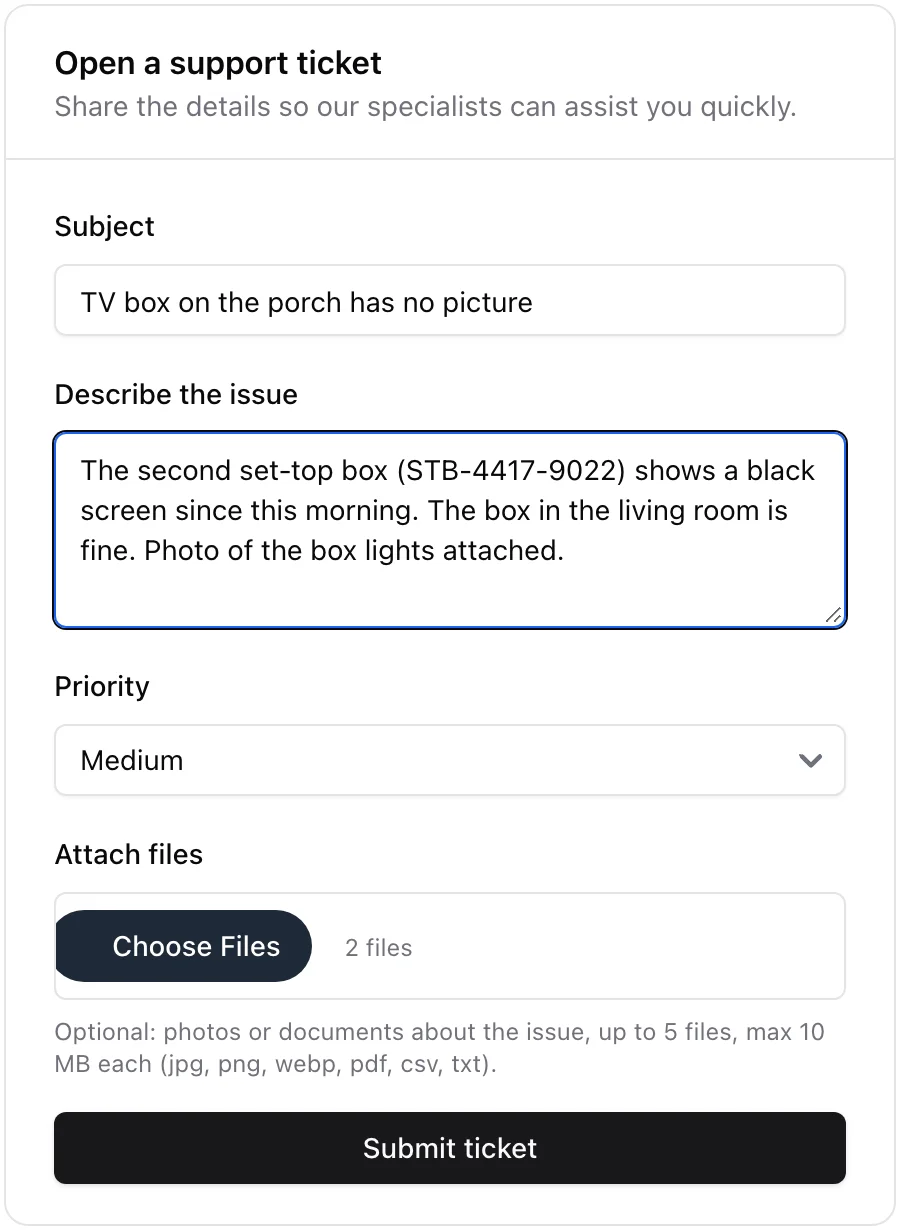
Attach files on that form lets the customer send a photo of the problem while they are opening the ticket, instead of filing the ticket and then replying to it. Up to 5 files, 10 MB each, in jpg, png, webp, pdf, csv or txt, with a progress bar while they upload. The files arrive as the first comment on the ticket, badged Attached when opening in your panel, and the customer can open them again from the conversation. The same works from the ISPBox mobile app.
The Documents tab lets them view and, where required, accept documents such as their service agreement.
6. What customers can change
Beyond viewing, you decide (in Settings > Customer Portal) whether customers may edit their contact details, request a plan change, or request a seasonal suspension - self-service requests that come to you for approval in the portal request inbox.