Planned Maintenance Windows
Tell the panel the work is planned: it keeps measuring and recording, holds back alerts and outage notices, shows the work on the status page and keeps it out of availability figures.
Swapping a radio at 2 a.m. should not wake the person on call, open an incident, email a hundred customers "we are aware of an outage", and leave a red stripe on next month's availability report. A maintenance window tells the panel the work is planned: it keeps measuring and recording everything, and holds back the alarms.
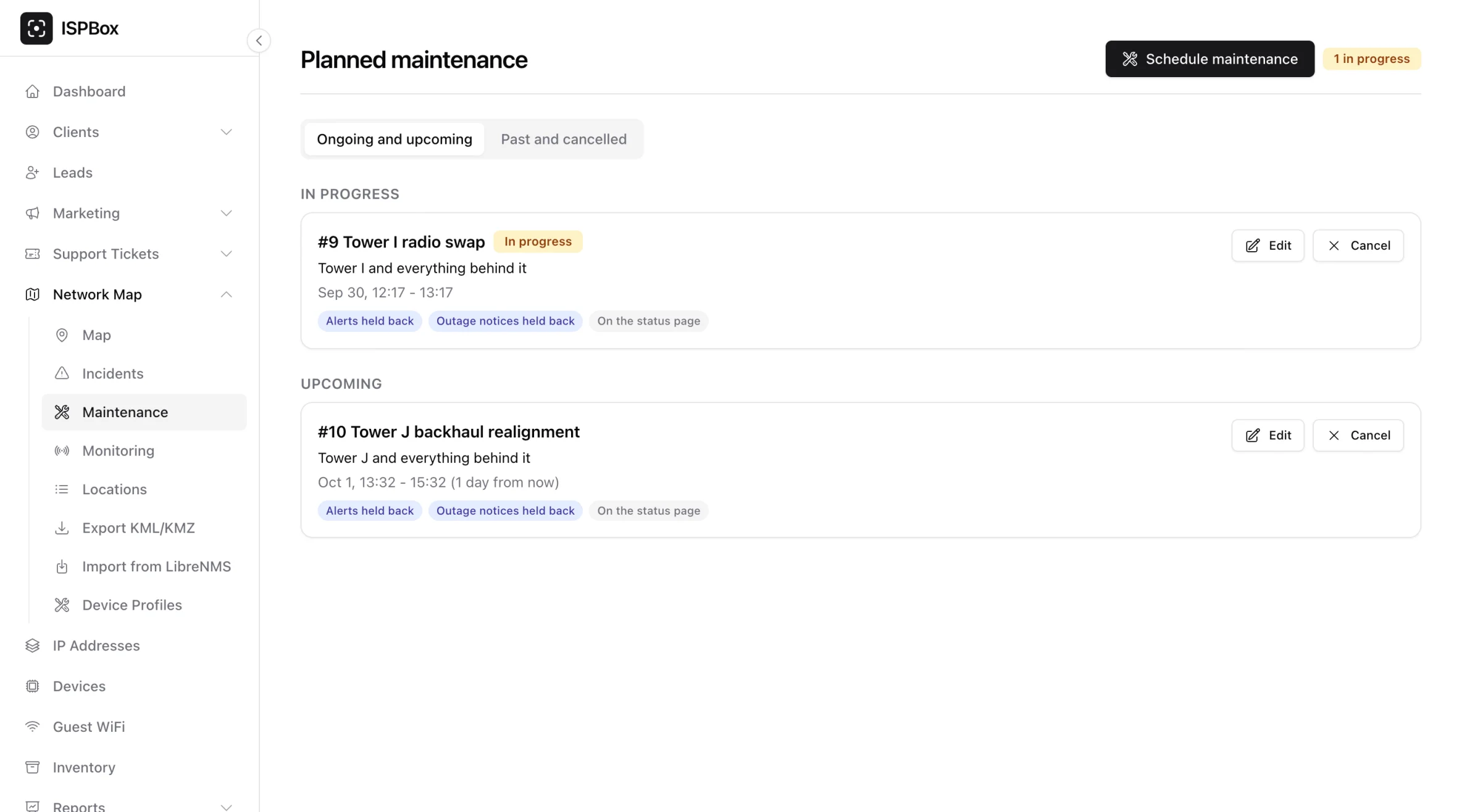
Scheduling one
Go to Network Map > Maintenance and press Schedule maintenance, or start from where you are: the map inspector, a monitored host or link, and a router page each have a button that opens the same dialog with that device already picked.
In the dialog:
- What the work is on: a device on the map, a link, a location (each with or without everything behind it), one or more routers, a monitoring probe, or the whole network. While you choose, the dialog shows how many devices and customers it reaches.
- When: start and end in your workspace's time zone. A window can be one-off (5 minutes to 7 days), or weekly on the days you pick at the same local time (up to 24 hours each time), until an optional last day. Daylight saving changes do not move it.
- What it holds back: alerts, customer outage notices, or both (both by default).
- Who hears about it: whether it shows on your public status page, and whether affected customers get a notice a chosen number of hours before it starts (1 to 168 hours, 24 by default).
What happens during the window
The monitoring keeps measuring. Every event and diagnosis is still recorded, marked as during planned maintenance, so you can look back at what the work did. What does not happen:
- no incident opens,
- no alert goes out on your alert channels (email, SMS, Discord, Slack, Telegram, WhatsApp, webhook) or as a push notification,
- customers get no outage notice for the covered area (unless someone presses Notify now on purpose).
Hosts, links and routers under planned work show an In maintenance badge; the host page says until when. The charts shade the window as a hatched band, and the topology draws an indigo halo around what it covers. Diagnoses made during the work are tagged During planned maintenance, and the monitoring overview lists them after the other problems.
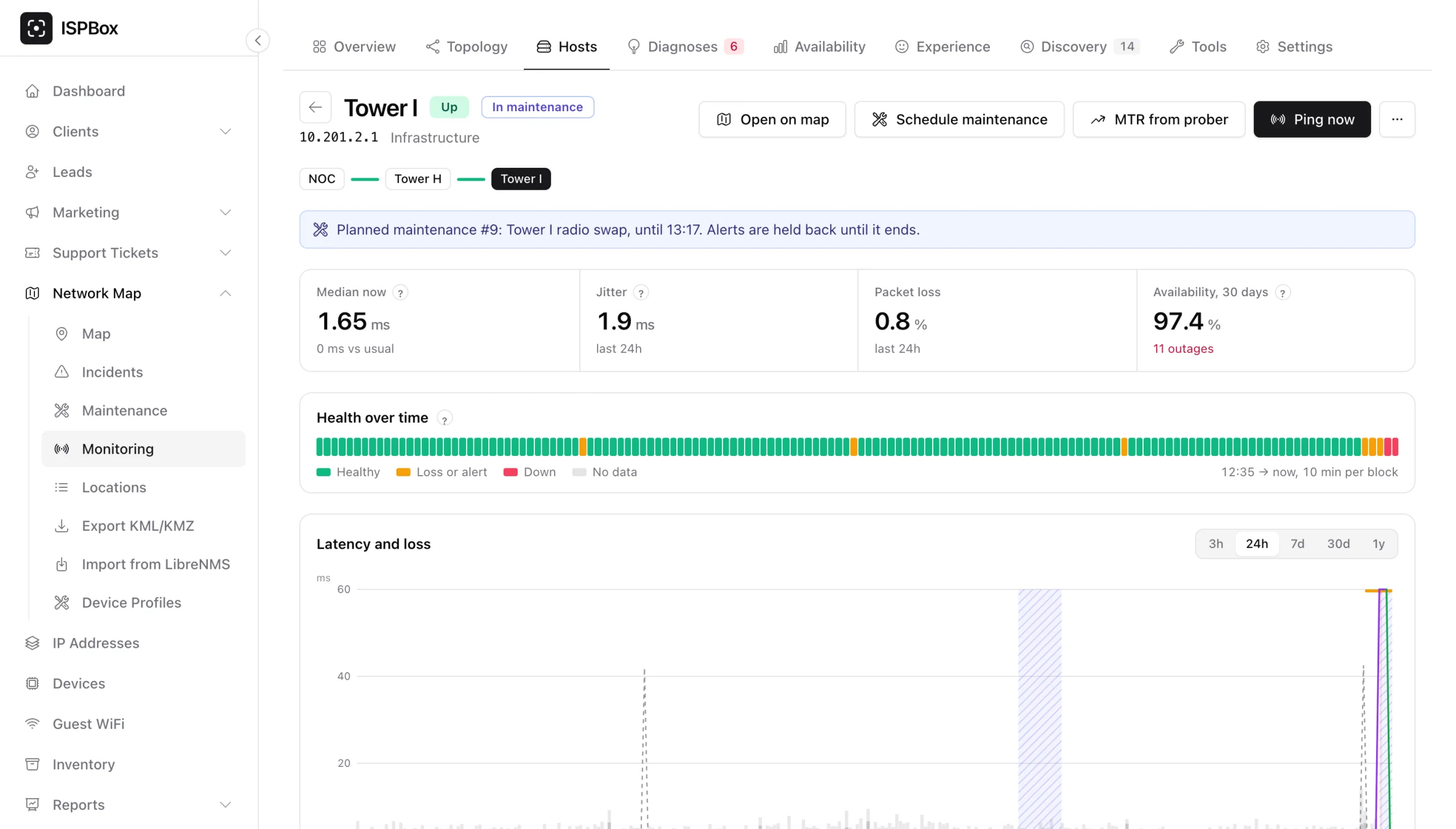
When the work runs over
If the problem is still there when the window ends, it is announced at that moment: the alert goes out and the incident opens then, so a real outage that outlives the work is never lost. A router or an external NMS device still down at the end of a window is raised again within a minute.
On the status page and in advance
With Show on the status page on, your public status page lists work in progress and in the next seven days, with the area label you typed and the times. It never shows your internal title, notes or device names, and never work on a monitoring probe. A customer who verified themselves on the status page sees only work that reaches their own service.
With an advance notice, affected customers get one email and text per occurrence, the chosen number of hours before it starts, in their own language, from your workspace's mailbox and SMS sender. The wording is the Planned maintenance notice template in Settings > Monitoring.
Customers see planned work in the customer portal and the subscriber app too, and an outage on a service under planned work reads as the planned work, not as an outage.
Reports and scores
Planned work is left out where it would be unfair: the availability reports exclude maintenance minutes, the nightly baselines skip maintenance cycles, and the subscriber experience score never counts a maintenance hour as an unhappy one.
Good to know
- Cancel ends a window and keeps its history; alerting goes back to normal for what it covered at once.
- Seeing maintenance needs permission to view the network map; scheduling, editing and cancelling need permission to manage it. Every change is in the audit log.
- The REST API can list, schedule and cancel maintenance windows, and the MCP server can list them, so your own tools can tell "down for planned work" from "down".