Agent Notifications
Two gates in front of eight email kinds, the low-balance alert level, bulk renewal summaries, failed activations, and notices from the company.
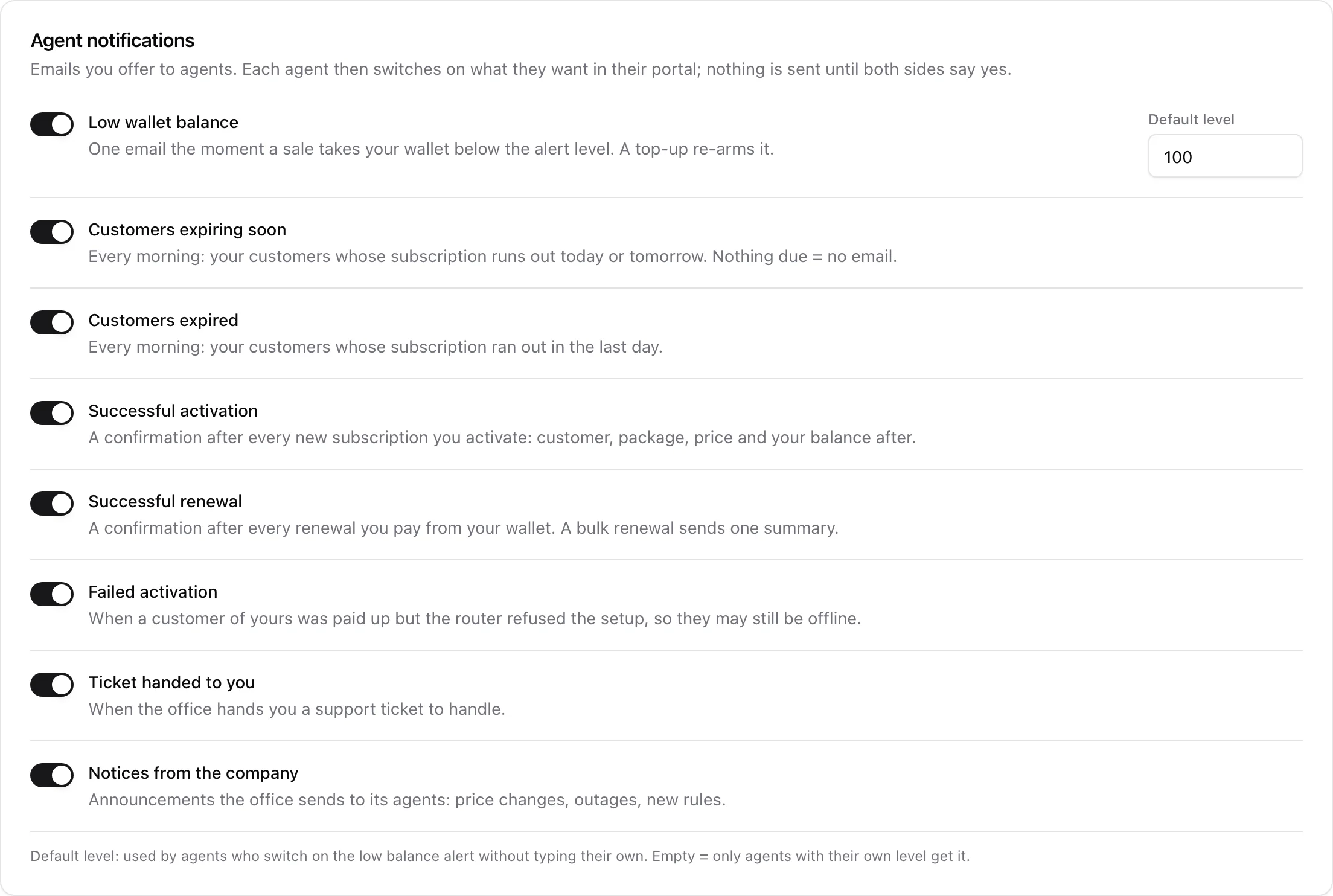
Agents do not sit in front of your admin panel, so the only way they hear that a customer expired, a wallet ran dry or a router refused a setup is email. ISPBox has eight of them. None is on by default, and each one has to get past two switches before it is sent.
1. The two gates
The first gate is yours. In Settings > Agents, the Agent notifications card lists the eight kinds and you tick the ones your company is willing to send at all.
The second gate is the agent's. In their portal, under Notifications, every agent sees only the kinds you offered and ticks what they personally want. Everything starts off there too.
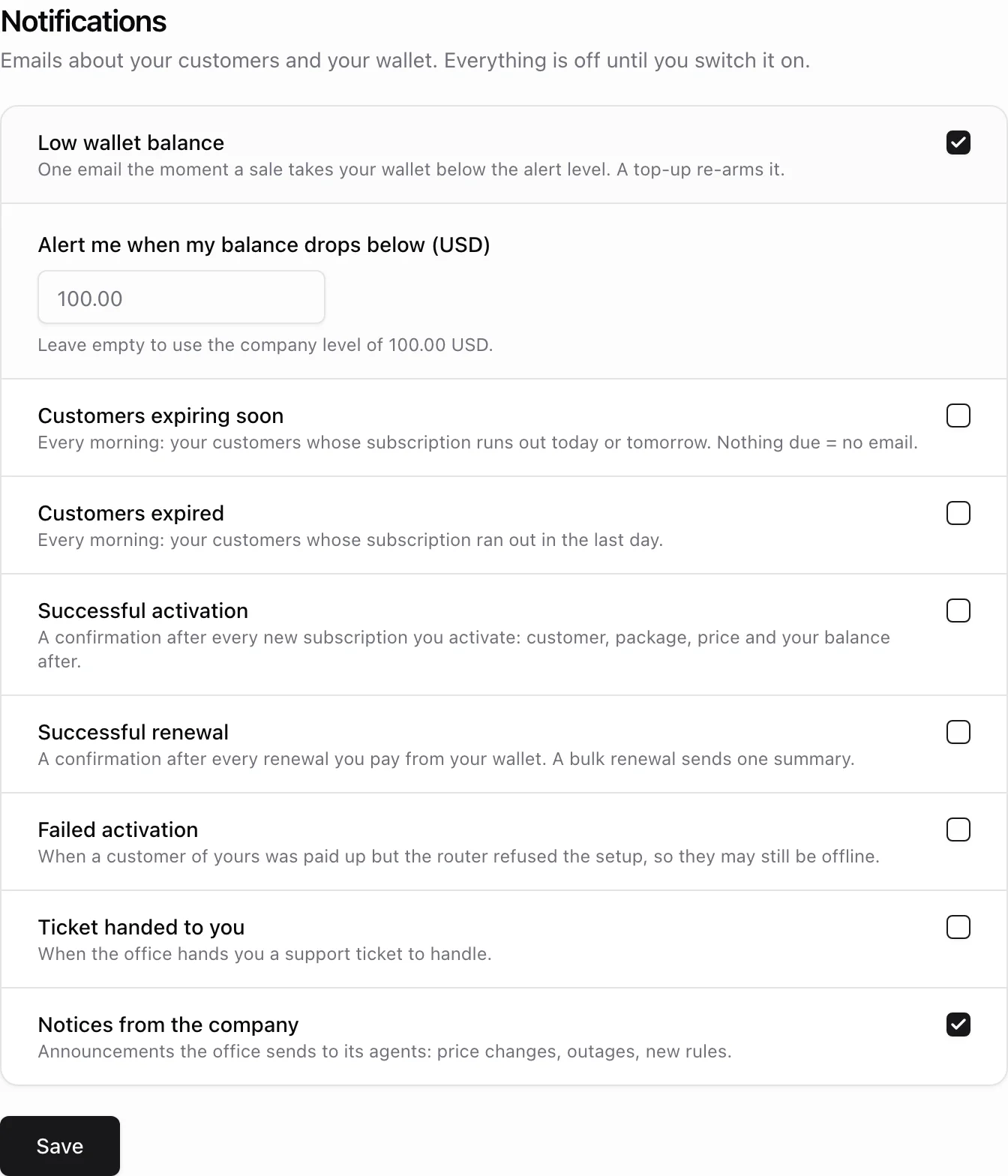
An email is only sent when both sides say yes and the agent actually has an email address on their record. Withdrawing a kind in Settings > Agents silences it for everyone at once and takes it off the agents' list. An agent cannot switch on a kind you never offered, however the request reaches the server.
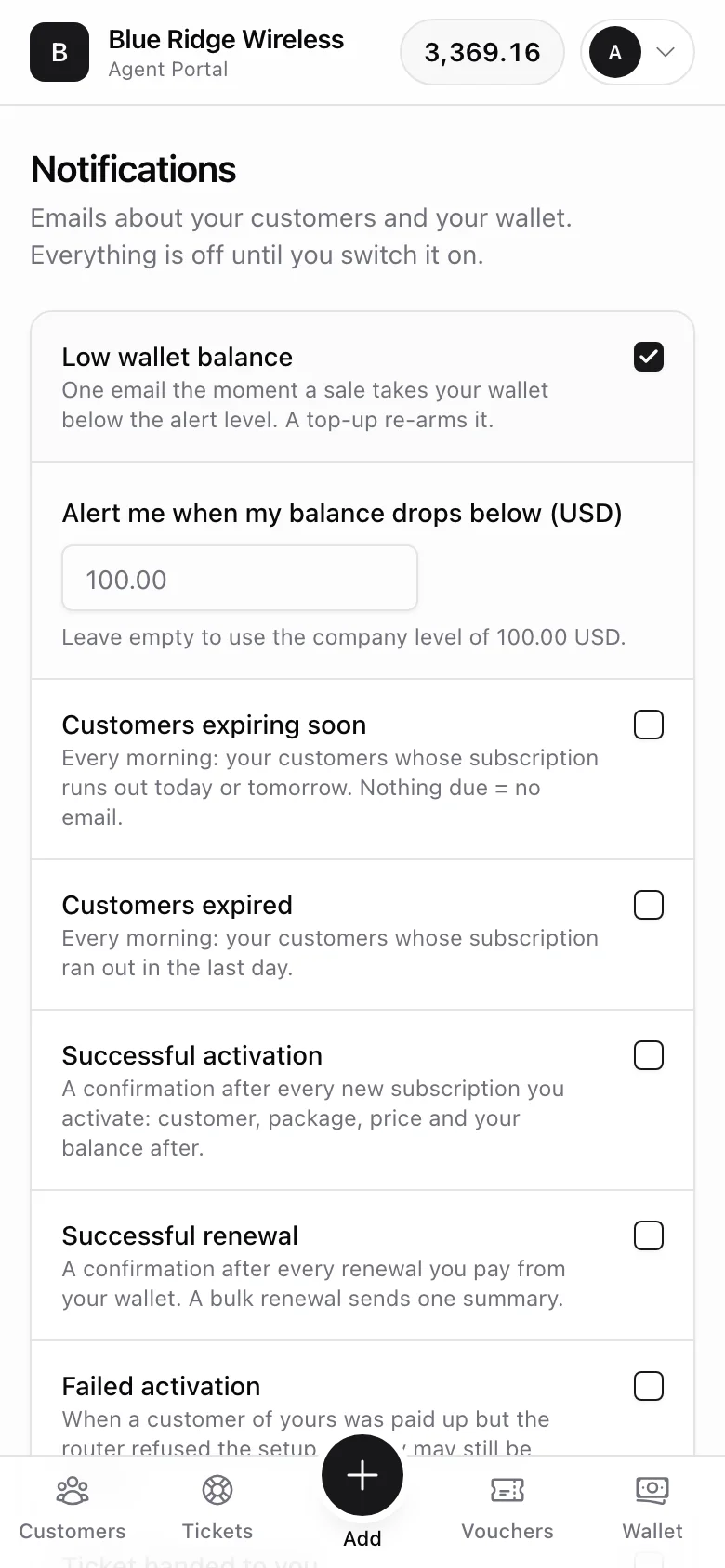
The portal is built for a phone, which is where a reseller reads all of this. It speaks eleven languages, and every email goes out in the agent's own language - the one on their record, or the one they picked themselves in the portal.
2. The eight kinds
Low wallet balance
Sent the moment a sale takes the wallet below the alert level, and only on that crossing: while the balance stays under, no second email follows. A top-up back above the level re-arms it. The mail carries the balance it dropped to, the level it crossed and a nudge to top up so their sales keep going through.
Customers expiring soon
Customers expired
Two switches feeding one morning digest, sent at 06:10 by the agents:notify-expiring scheduled command. "Expiring soon" means a prepaid clock that runs out today or tomorrow; "expired" means one that ran out yesterday or today. Both edges are your own calendar days, so agents in different time zones get the same line drawn.
The email lists each customer with their package and the date, up to fifteen of them, then says how many more are waiting in the portal. Its subject counts the work: "4 customers need renewing". An agent with nothing due gets no email at all. The rows come from the agent's whole visible book - their own customers, their sub-agents' customers, and the whole location when they are a site manager.
Successful activation
Successful renewal
A receipt for every sale the agent paid from their wallet, sent right after the money moves: the customer's name in the subject, the package, the date the customer is paid until, what the sale cost the agent, and the balance left afterwards. When the customer's price differs from the agent's, the mail says what the customer pays as well. Activations and renewals are separate switches because a busy reseller usually wants one and not the other.
A bulk renewal from the portal's working list does not send one email per customer. It sends a single summary with how many were renewed, the total charged and the balance after, then lists each customer with their package, price and new expiry - up to thirty, and a count of the rest.
Failed activation
The unhappy path, and the reason it exists: the customer paid, but the router refused the setup, so they are paid up and still offline. Rather than let them phone the reseller, the reseller hears first. The mail names the customer, the package, the router and the error the router gave, says the office has been shown the same error, and links straight to the customer in the portal.
It fires from both places a setup can fail: the push to the router that happens right after a prepaid sale, and the background provisioning job when it gives up after its retries. Either way the service is stamped as failed, the same warning shows on the admin service page, and the next successful push clears it. Only the customer's own agent is told - never a colleague who happens to work at the same location.
Ticket handed to you
Sent when the office hands a support ticket to that agent, whether on the ticket's creation or by reassigning it later. It carries the ticket number, the customer, the subject line and a button that opens the ticket in the agent portal, and it says plainly that the ticket stays with them until they reply, close it or hand it back.
Notices from the company
Your own announcement, in your own words: price changes, planned outages, new rules. Subject and body are exactly what you typed, split into paragraphs on blank lines.
3. The alert level
The low balance email needs a number to compare against. Each agent can type their own level in their portal - a distributor who turns over thousands wants a different warning than a street seller. When they leave it empty, the Default level you set beside the low balance row in Settings > Agents is used instead.
Leave the company default empty and the alert simply never fires for agents who did not type their own level. Nothing breaks; there is just nothing to compare against.
4. Sending a notice
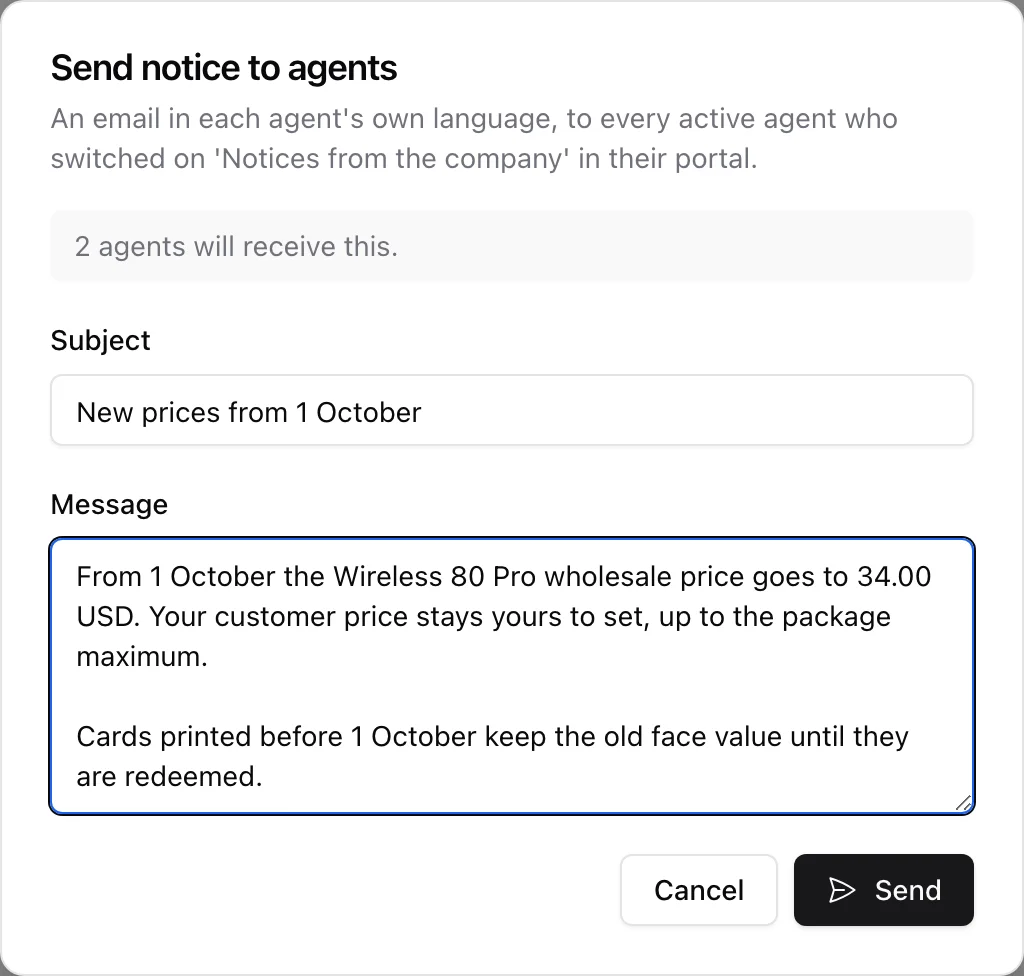
Send notice on the Agents page opens a subject and a message. Before you write a word it tells you how many agents would receive it, and if that number is zero it says so rather than letting you send into the void.
The recipients are your active agents who have an email address and switched Notices from the company on. Suspended agents are left out - they cannot open the portal, so they are not part of the channel right now. The button itself only appears when your company offers that kind of email at all.
Each agent gets their own copy in their own language, and the send is recorded in the audit log with the subject and how many went out.
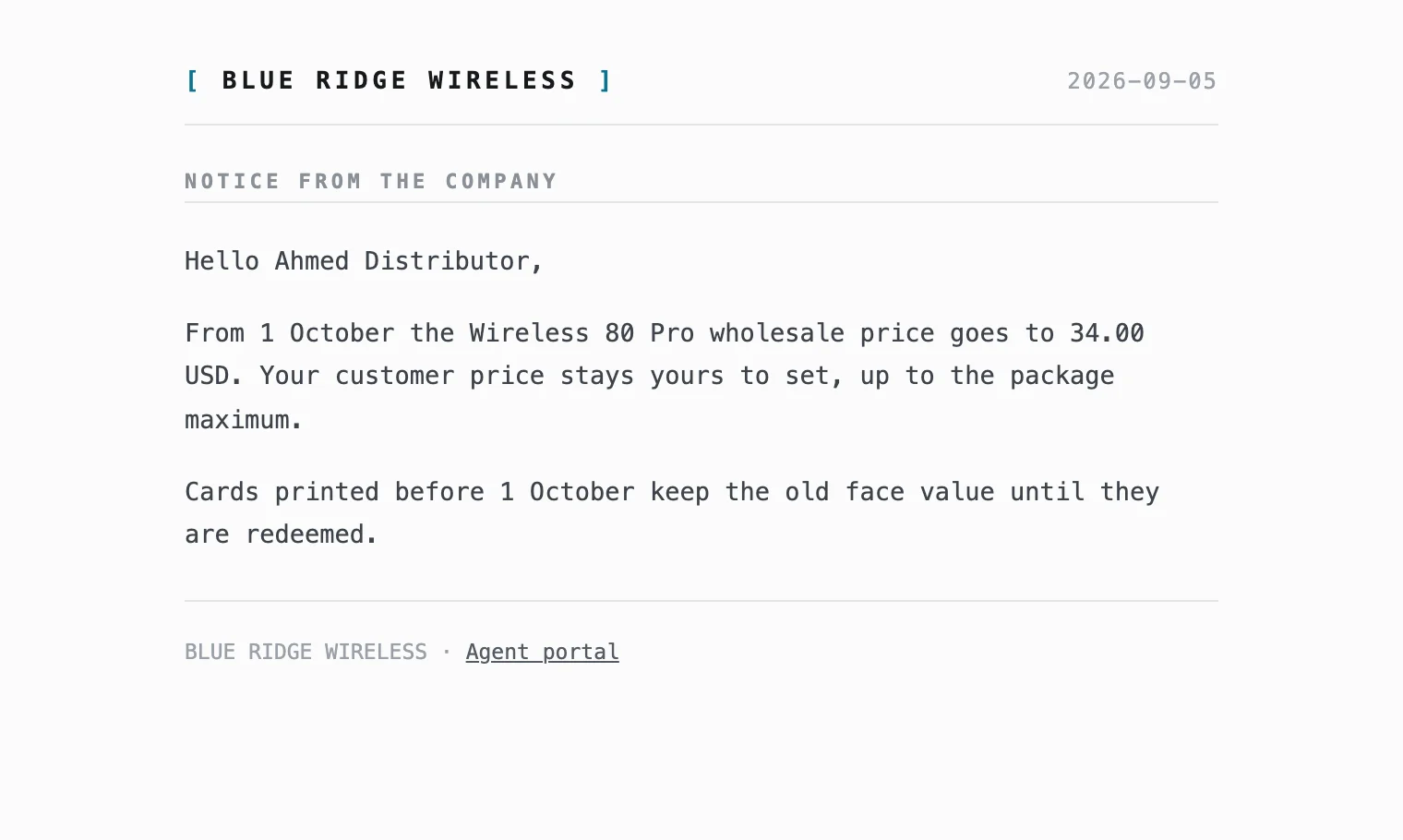
Every agent email is rendered in your own letterhead, with your company name at the top and a footer link that goes to the agent portal, never the customer one.
5. What is never gated
Two emails ignore all of this because they are account mail, not notifications:
- the invitation sent when you create an agent who has an email address, with a link to choose their password and the address of your agent portal;
- the password reset an agent asks for from the portal login page.
Neither one looks at any preference - an agent who cannot sign in cannot switch anything on. They are still skipped silently for suspended agents and for agents without an email.
All of it, notifications and account mail alike, goes out through your own mailbox configured in Settings > Mail, from your own address. With no working mail setup nothing is sent and nothing breaks: creating an agent still works, the sale still goes through, and the toast tells you the invitation did not go out so you can hand over a password by hand.
Related guides
- Setting Up the Reseller Channel - the Settings > Agents card these switches live in.
- Managing Agents and Their Wallets - agent records, wallets and the agents report.
- The Agent Portal - where an agent ticks the emails they want.
- DHCP Device Discovery - the device claiming a failed activation often points at.