Coverage Checker
A public page where prospects check if you serve their address, see available plans and send an install request that becomes a lead. Out-of-coverage visitors join the waitlist instead, and promo or referral links are picked up automatically.
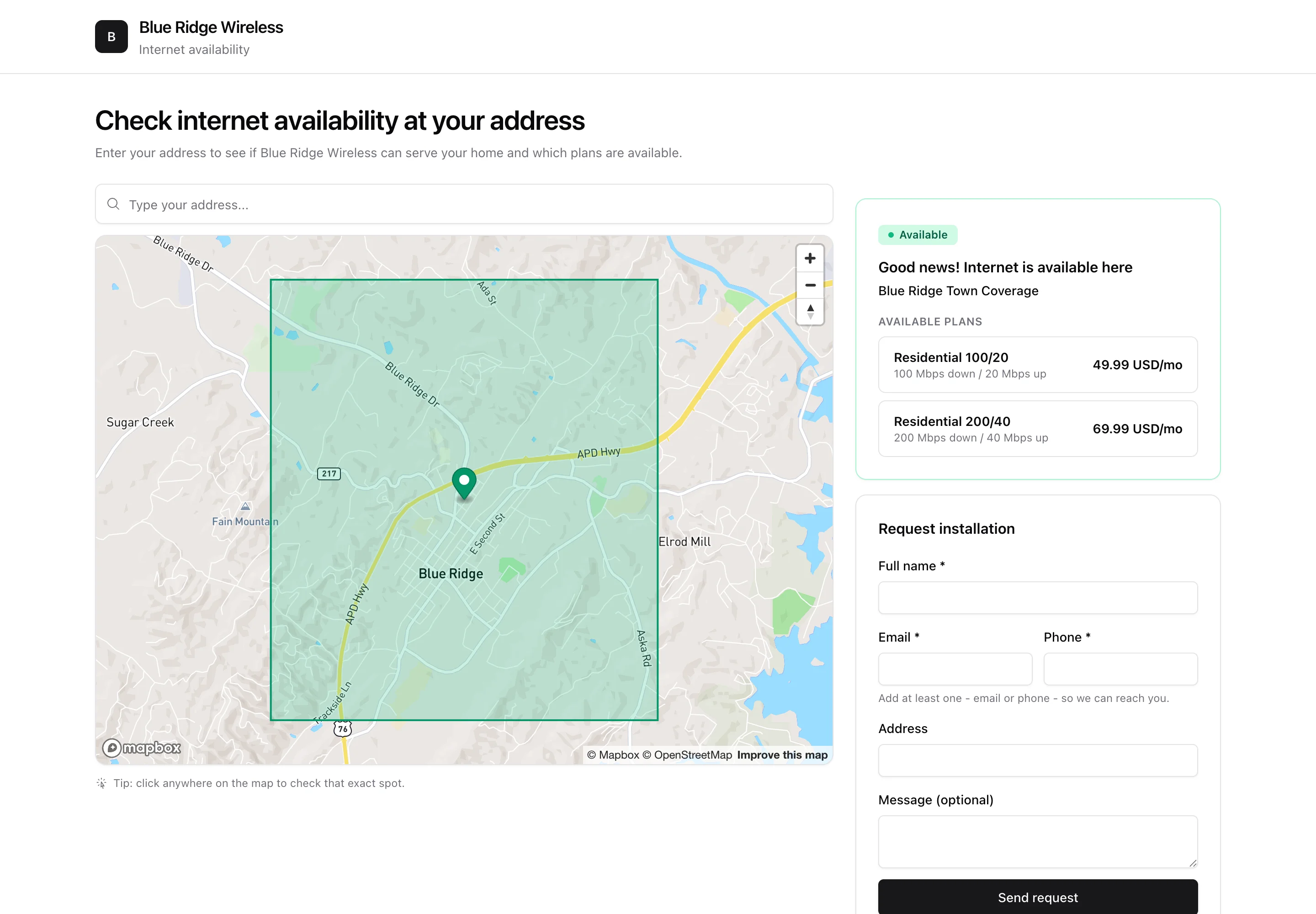
The coverage checker is a public page where prospective customers type their address (or drop a pin) and instantly see whether you can serve them - and which plans are available - then send you an install request. It turns your website traffic into qualified leads. Configure the page under Settings > Coverage Map.
1. When the address is covered
A visitor enters their address or clicks the map. If the point falls inside one of your live coverage zones, they see a green Available result with the zone name, its public description and the plans offered there (with prices, if you allow). Clicking a plan selects it, so the request that reaches you already says which plan they want. The Request installation form takes their name plus an email or a phone number, and lands in ISPBox as a lead for your team to follow up.
2. When the address is not covered
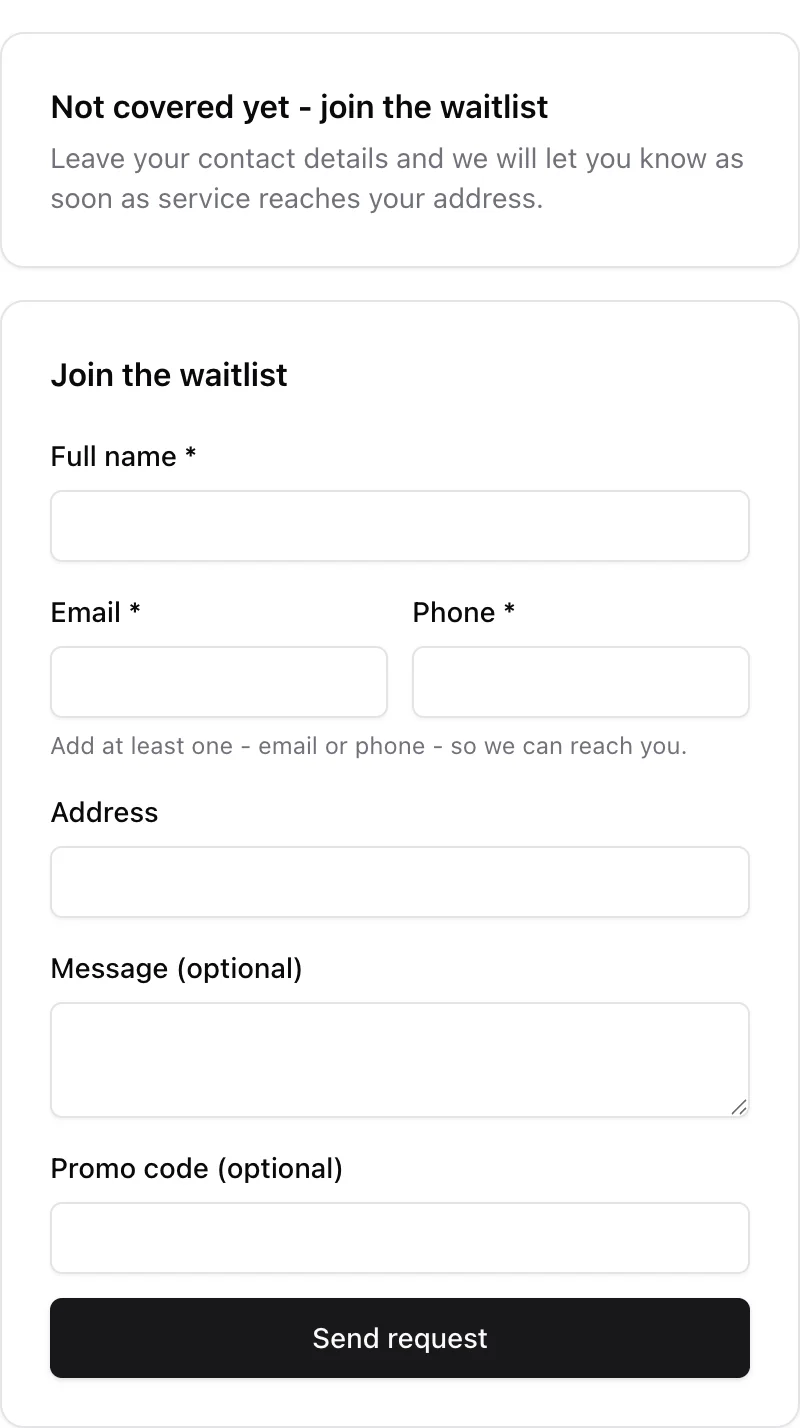
Out-of-coverage visitors are not turned away. Because the Out-of-coverage waitlist is on by default, they see Not covered yet - join the waitlist and the same form, retitled Join the waitlist. Their submission is stored as a lead flagged Out of coverage (waitlist) with the exact map point, which builds a demand map for your next tower.
The toggle lives under Settings > Marketing (not Settings > Coverage Map). Turn it off and out-of-coverage visitors only read "This address is outside our current coverage." with no form at all.
Whatever the visitor's browser says, ISPBox re-runs the zone check on the server when the form is submitted, so a faked in-coverage result cannot slip through. The form is also rate limited per IP address and carries a hidden honeypot field to keep bots out.
3. Promo codes and neighbour referrals
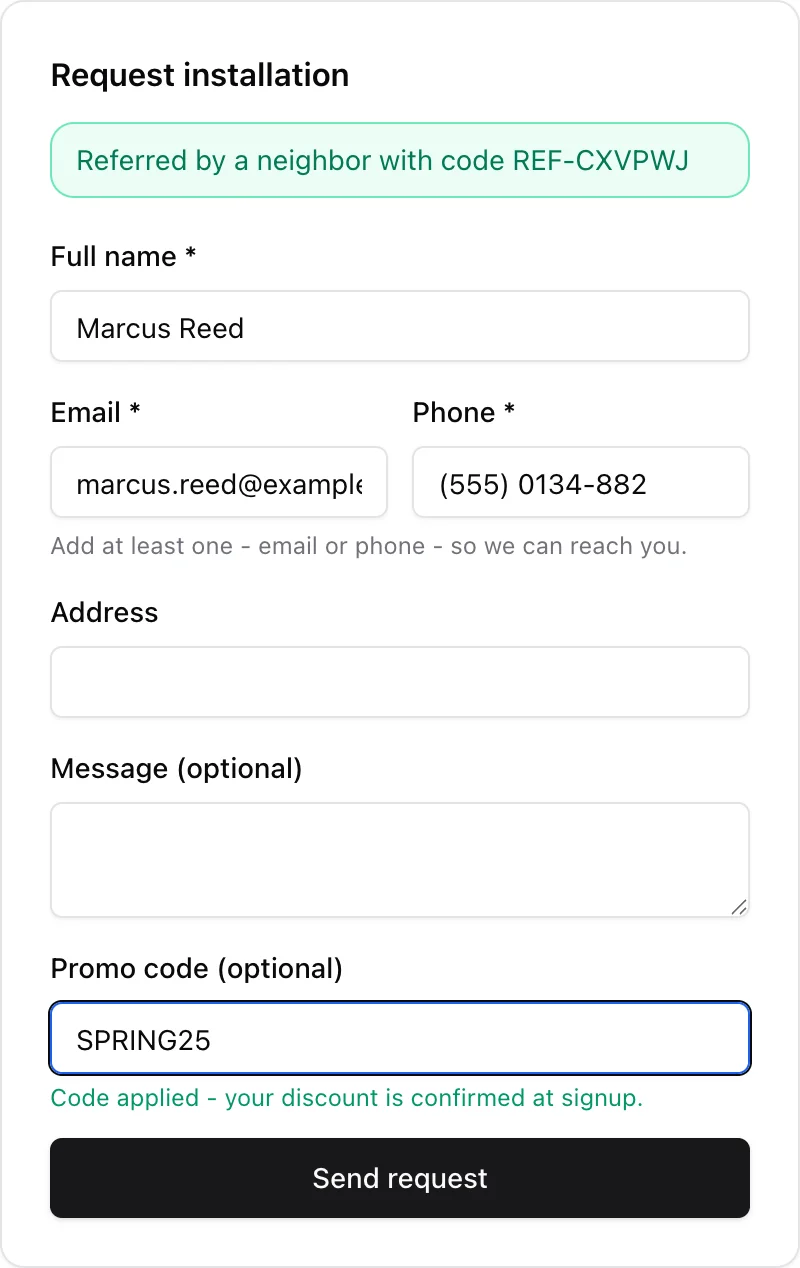
Two Settings > Marketing sub-features change this form when you switch them on:
- Promo codes - adds a Promo code (optional) field. It is checked as the visitor types: "Code applied - your discount is confirmed at signup", or a soft warning that the code is not valid while still letting them send the request. A valid code is stored on the lead and applied when you convert it.
- Referral program - makes the page understand a
?ref=CODElink. Sharehttps://yourcompany.ispbox.net/coverage?ref=REF-XXXXXXand the visitor sees a Referred by a neighbor with code REF-XXXXXX banner; the lead is saved with source referral and tied to the referring customer, so the reward can pay out later. See Referral Program.
4. Drawing coverage zones
Coverage zones are polygons you draw on the network map. For a zone to appear on the public checker you:
- draw a Coverage zone polygon over the area you serve;
- assign the packages available in that area to it (a zone tied to a location also offers that location's packages);
- set its status to Live so it is published.
Device names are never exposed: the public result shows the zone's public name and description only.
5. Settings
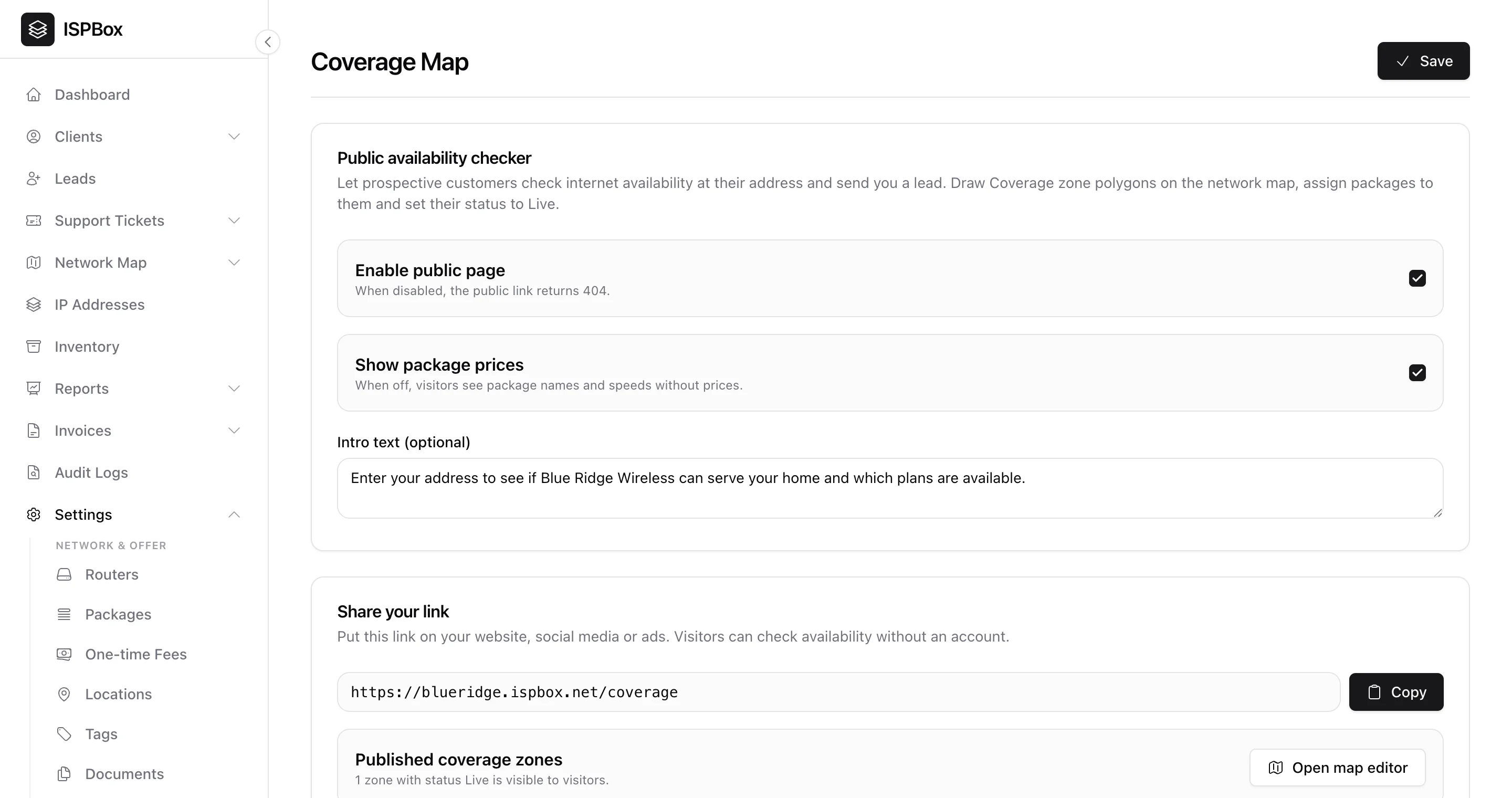
- Enable public page - while off, the public link returns 404, so it stays hidden until you are ready.
- Show package prices - turn off to display plan names and speeds without prices.
- Intro text - a short line at the top of the page.
Then Save, and share the link (shown with a Copy button) on your website, social media or ads - visitors can check availability without an account. The card also tells you how many zones with status Live are visible right now, with a shortcut to Open map editor.