IP Address Management (IPAM)
Keep an inventory of your IPv4 and IPv6 space - customer, management and infrastructure subnets - with live utilization, an address grid, reservations and next-free suggestions on service forms.
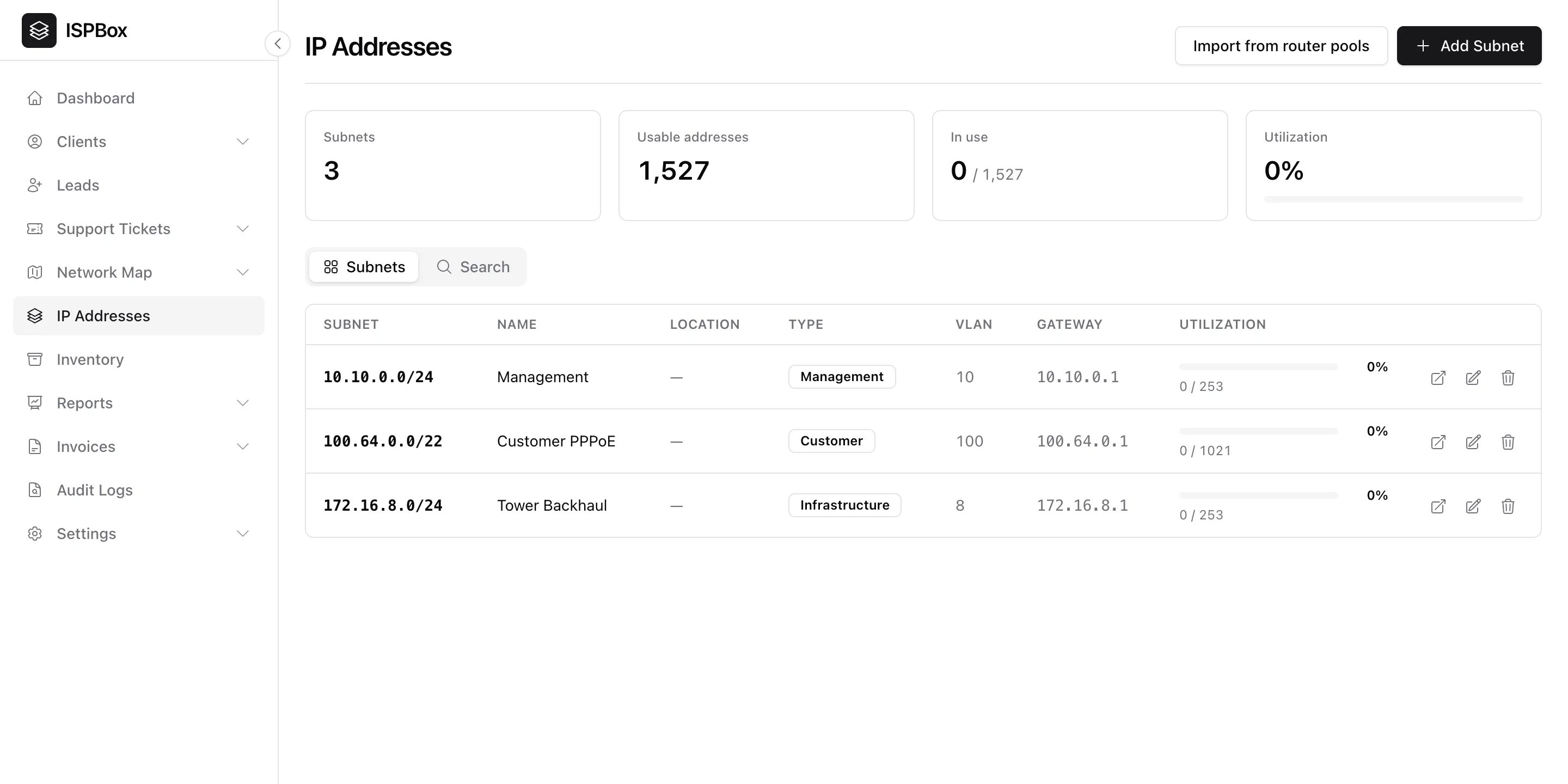
IPAM (IP Address Management) is ISPBox's inventory of your IP space - the subnets you route to customers, management and infrastructure - with live utilization so you can see how much address room you have left. It lives under IP Addresses in the sidebar and is part of the IPAM feature (a premium plan). Viewing needs the network view permission; adding, editing and reserving need network edit.
1. The overview
The top of the page summarises your whole address estate: total subnets, usable addresses, how many are in use, and overall utilization. It is the fast answer to "are we about to run out of customer IPs?". For an IPv6 subnet, "usable" counts the per-customer prefixes it can hand out, not single addresses.
2. Adding a subnet
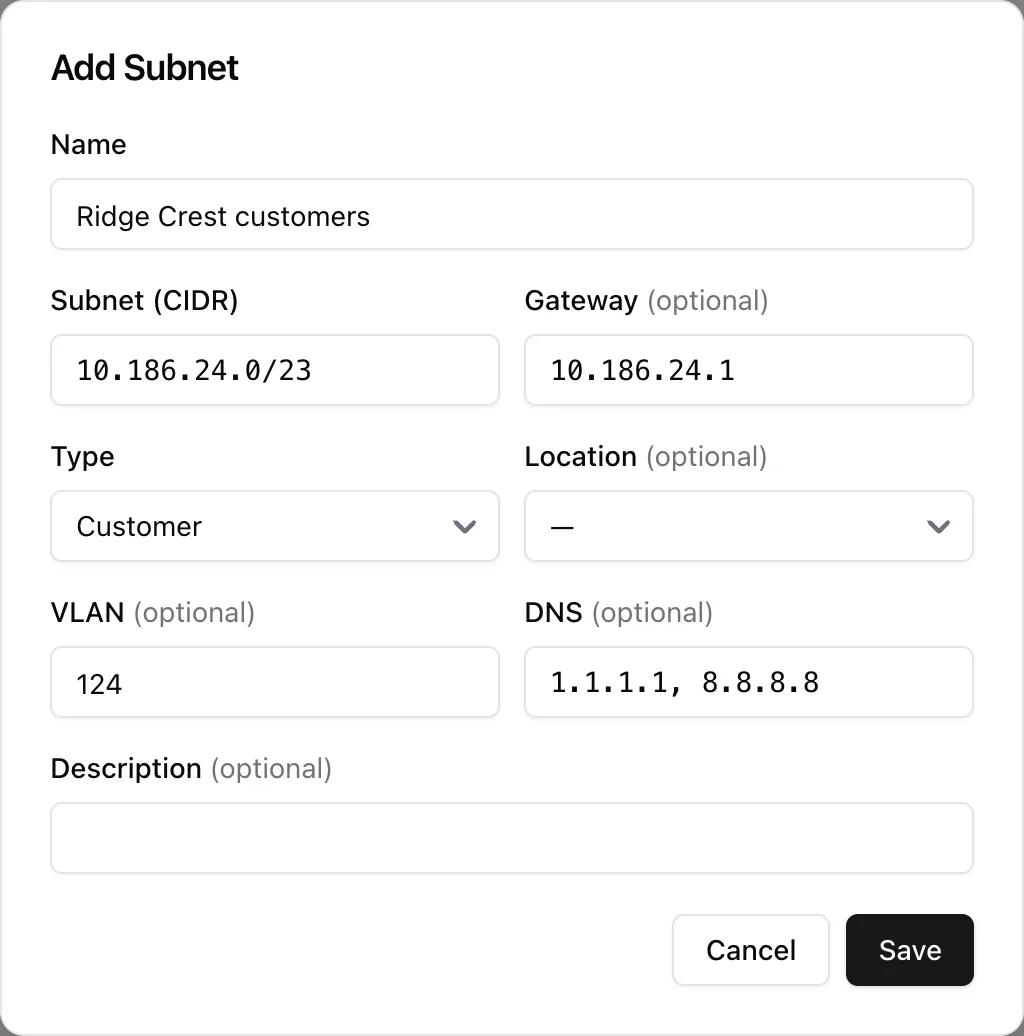
The Subnets tab lists each subnet with its CIDR, name, location, type (Customer, Management, Infrastructure or Other), VLAN, gateway and a per-subnet utilization bar. Click Add Subnet and enter:
- Subnet (CIDR) - IPv4 between /16 and /30, or IPv6 between /32 and /64. ISPBox normalises it, rejects a CIDR you already have and checks the gateway sits inside the subnet.
- Gateway, Type, Location, VLAN, DNS and a Description - all optional except the type.
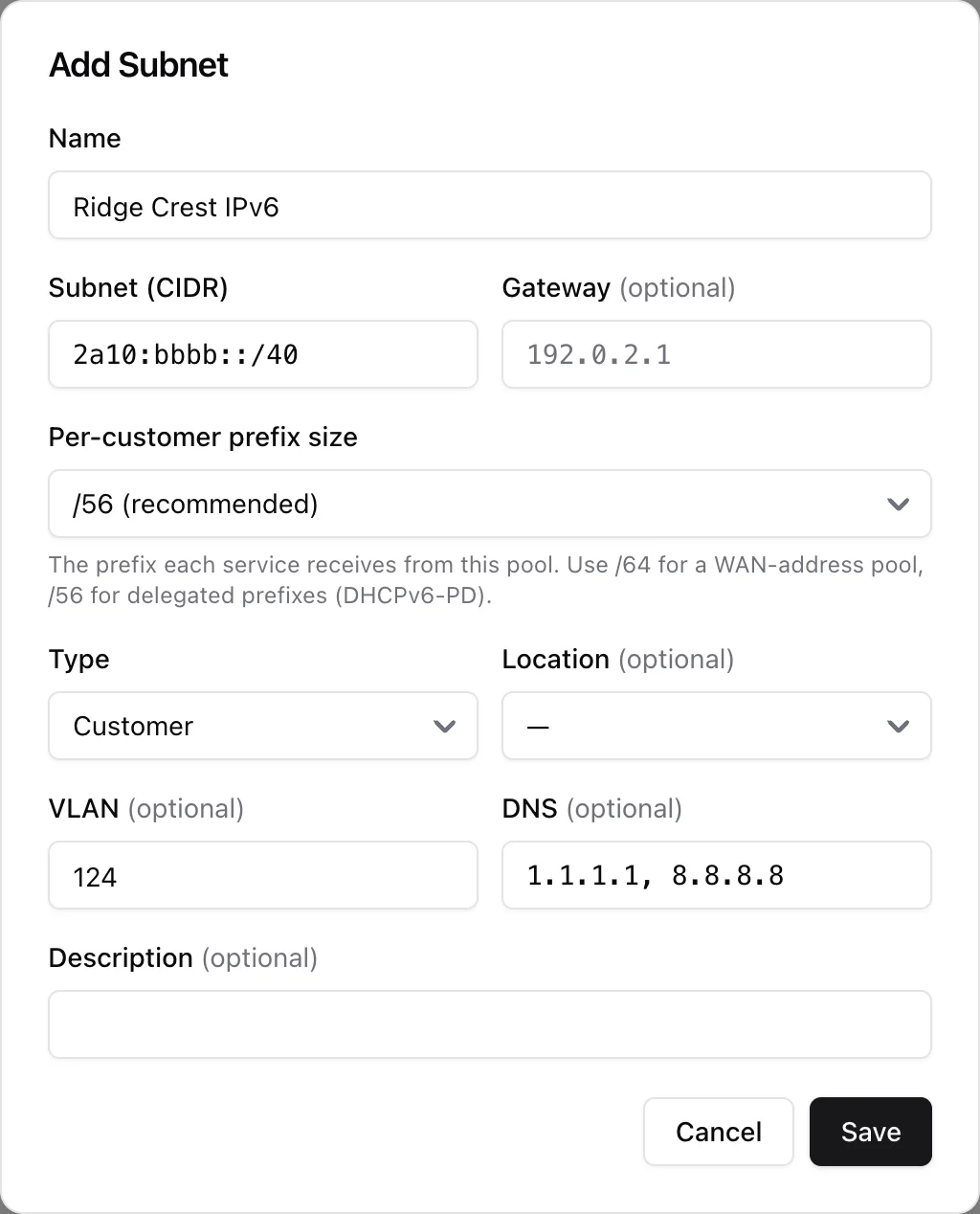
Type an IPv6 CIDR and one extra field appears: Per-customer prefix size, anything from /48 to /64 and /56 by default. That is the prefix each service gets out of this pool - use /64 for a pool of WAN addresses and /56 for prefixes you delegate to the customer router (DHCPv6-PD). It cannot be wider than the pool itself, and IPv6 rows are tagged with an IPv6 badge in the list.
3. Inside a subnet
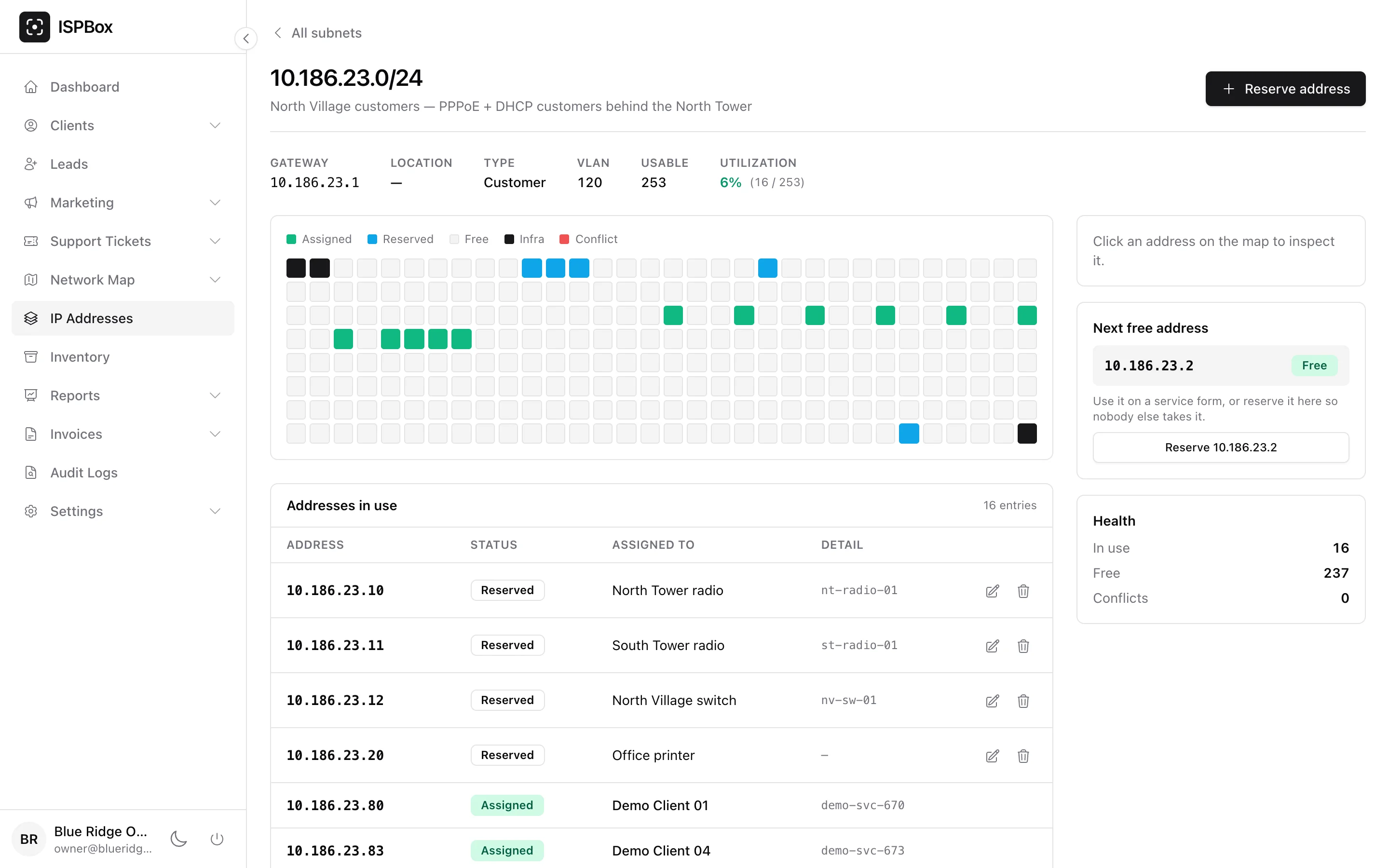
Click a CIDR to open the subnet. For IPv4 you get a clickable address grid, one square per address, colour-coded:
- Assigned - in use by a customer service.
- Reserved - held by you in IPAM (see below).
- Free - available.
- Infra - the network address, the broadcast address and the gateway.
- Conflict - two or more services claim the same address. Conflicts also get a red banner at the top of the page naming the customers involved.
Subnets wider than a /24 are shown one /24 at a time, with a selector to jump between blocks. Click any square to inspect that address in the side panel - who has it, the service behind it, and buttons to reserve, edit or release it.
Below the grid, Addresses in use lists every assigned and reserved address with its status, the subscriber (a link straight to the service) and the detail line. IPv6 subnets skip the grid - a per-address map makes no sense there - and list their prefixes in this table instead.
Reserving an address or a prefix
Reserve address (or Reserve prefix on an IPv6 subnet) parks an address so nobody hands it out by accident. Pick the address, a kind (Reserved or Device), and optionally a label, hostname and notes - that is how tower radios, switches, printers and spare addresses stay documented. Release gives it back to the pool.
Next free and health
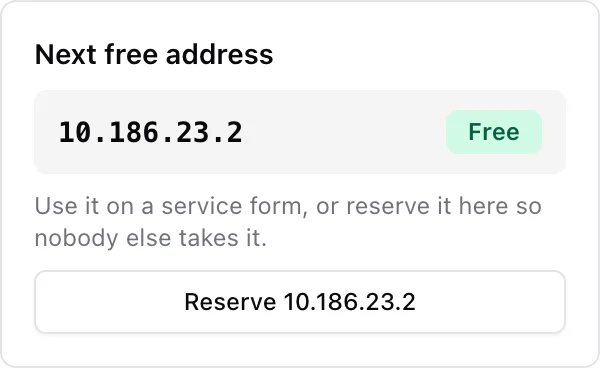
The side cards answer the two questions you actually have: Next free address (or next free prefix) gives you the first address nobody is using, with a one-click Reserve, and Health counts what is in use, what is free and how many conflicts exist.
4. Next-free suggestions on service forms
You do not have to copy addresses across by hand. On the service add and edit forms:
- the IPv4 suggestion list offers free addresses from the router pool that matches the service's access type, and skips anything already assigned or reserved in IPAM;
- the IPv6 WAN and delegated prefix lists are built from your IPv6 IPAM subnets - pools delegating /64 feed the WAN field, wider pools feed the prefix field - and a prefix you type by hand is rejected if it falls outside your subnets or overlaps another service or a reservation.
5. Import from router pools
Already have address pools configured on your routers? Import from router pools pulls every pool that is not in IPAM yet - subnet, gateway, DNS and the router's location - so you do not have to re-type them. Run it again any time; existing subnets are skipped.
6. Searching across every subnet
The Search tab looks up an IP address, subscriber name, hostname or label across all your subnets, with filters for status (Assigned, Reserved, Conflicts) and location. It tells you which subnet an address belongs to and who has it - handy when troubleshooting a support call or planning a new allocation.
7. Deleting a subnet
Deleting a subnet removes it from IPAM together with its reservations. Live service assignments are not touched - the addresses stay on the services, you have only stopped tracking the range.