One-Time Fees
Build a catalog of reusable one-off charges - install, router, static IP - global or location-scoped, then add them to a client bill in a click with consistent amounts and invoice wording.
The one-time fee catalog is a short list of reusable charges - installation, a router, a static IP, an after-hours callout - that you define once and then drop onto any client's bill in a click. It saves retyping the same amount and wording every time, and keeps your one-off charges consistent.
1. Build the catalog
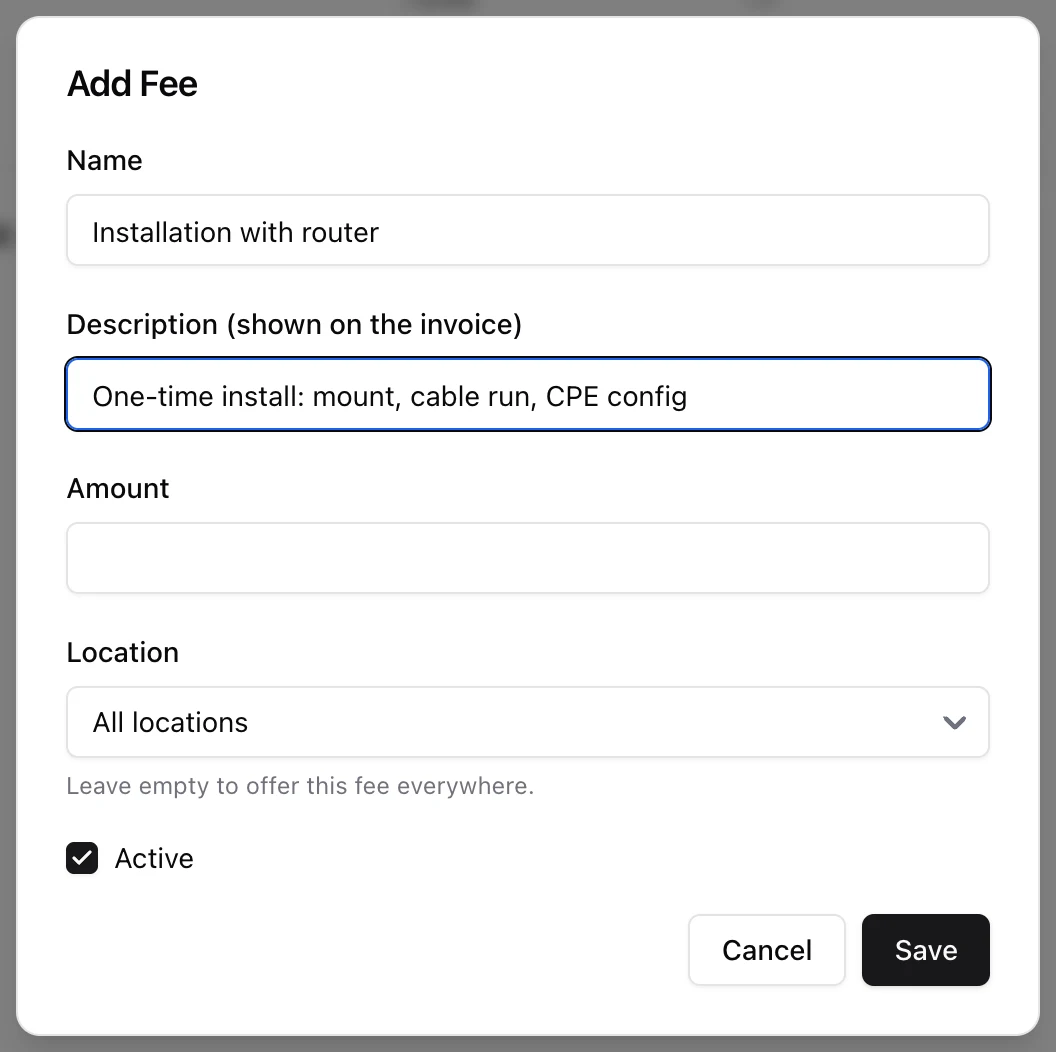
Go to Settings > One-time Fees and add the charges you use regularly. Each fee has:
- Name - the internal label, e.g. "Installation with router".
- Description (shown on the invoice) - the wording the customer sees on their invoice line. Optional; the name is used if you leave it blank.
- Amount - the charge, in your billing currency.
- Location - leave it on All locations to offer the fee everywhere, or bind it to a single location.
- Active - only active fees are offered when charging a client.
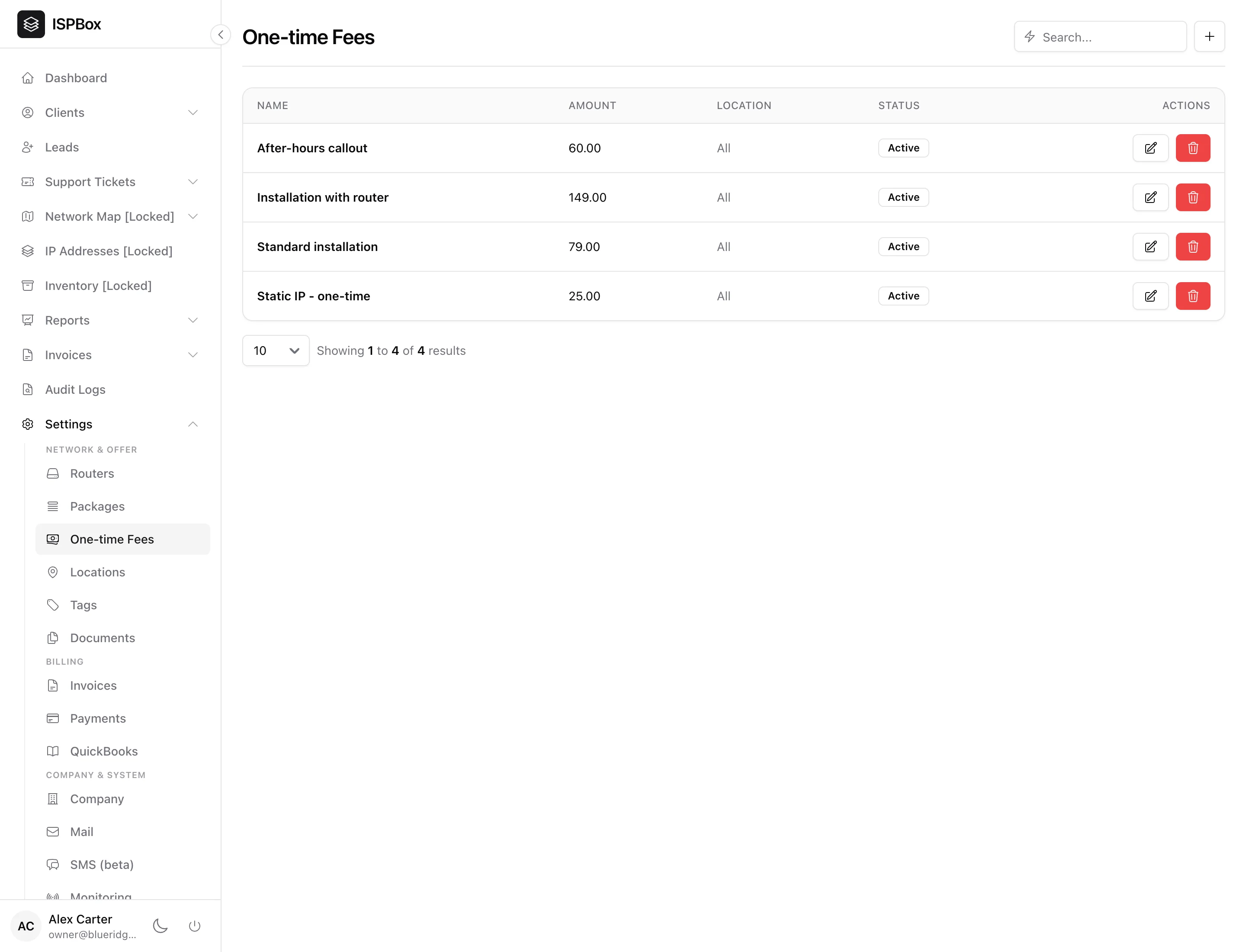
Your catalog then lists every fee with its amount, location scope and status:
2. Global vs location-scoped
The Location field decides where a fee is available:
- A fee with no location is global - it can be charged to any client.
- A fee bound to a location is only offered to clients in that location.
This keeps regional pricing tidy - for example a different install fee per service area - without cluttering every client's fee picker with charges that do not apply.
3. Charging a fee to a client
Open the client, go to their Billing tab, and pick a fee from the list of ones that apply to that client's location. It is added as a one-time charge using the fee's amount and its invoice description, and lands on the client's invoice. Because it is a catalog pick rather than free text, the amount and wording are always the ones you set here.