Email to Ticket
Turn your support inbox into ISPBox tickets automatically. Connect a Microsoft 365 or IMAP mailbox and every customer email becomes a ticket or a reply on an existing one.
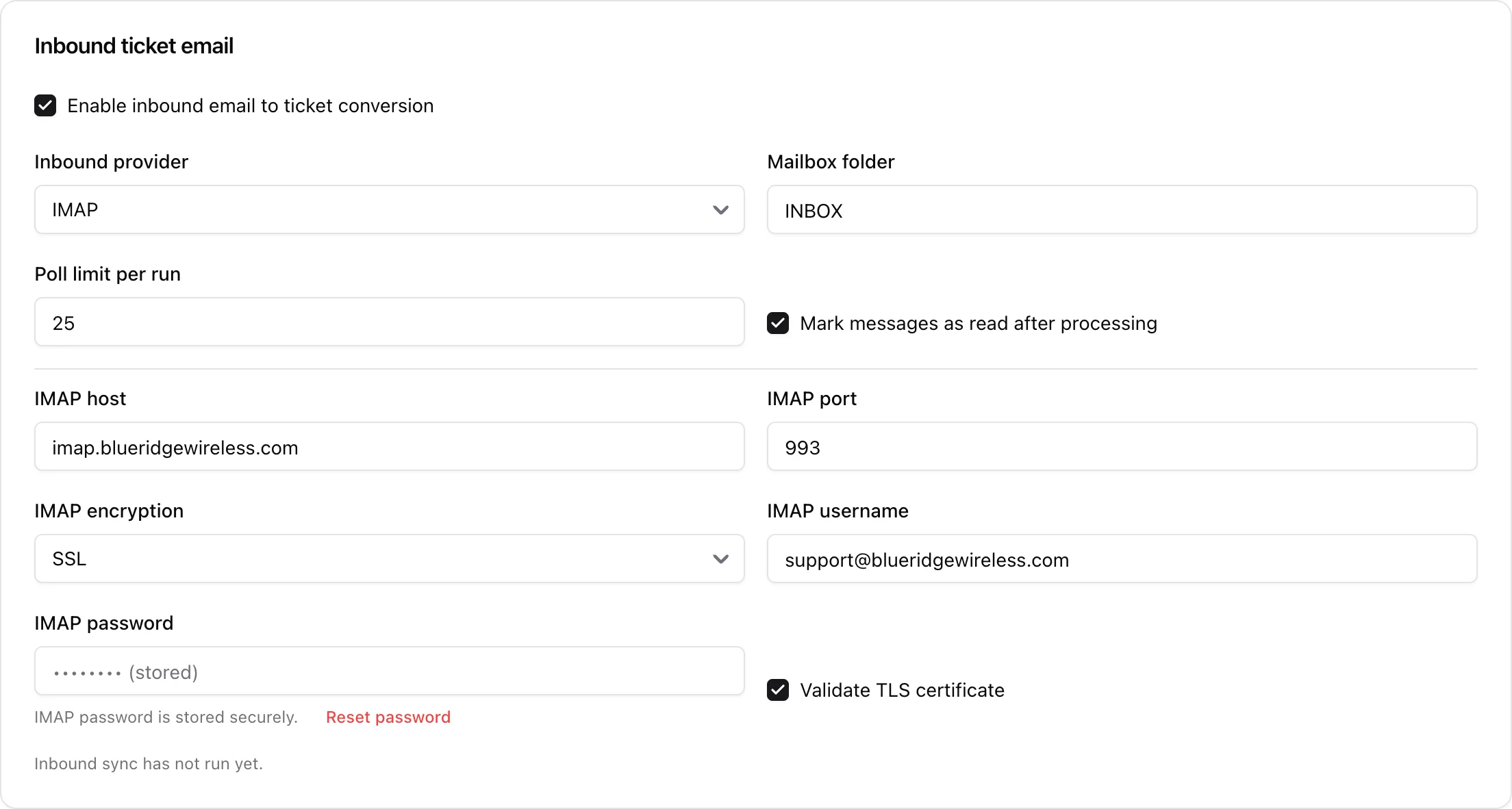
Email to ticket turns your support inbox into ISPBox tickets automatically. Point ISPBox at a mailbox and every customer email that lands there becomes a ticket (or a reply on an existing one), so nothing gets lost between your inbox and your helpdesk. It is configured under Settings > Mail in the Inbound ticket email section.
1. How it works
On a schedule, ISPBox polls the mailbox you connect, reads new messages, and:
- creates a new ticket for a fresh email, matching the sender to an existing client where possible; or
- appends the message to the existing ticket when the email is part of a thread it already tracks.
Replies you send from the ticket go back out over your normal outbound mail, so the whole conversation stays in one ticket.
2. Connecting a mailbox
Tick Enable inbound email to ticket conversion, then choose a provider:
- Microsoft 365 (Graph) - reuses the same mailbox you connected for outbound Microsoft 365 mail, no extra credentials.
- IMAP - for any other mail host: enter the IMAP host, port, encryption, username and password. The password is stored encrypted.
Then set:
- Mailbox folder - which folder to read (usually INBOX).
- Poll limit per run - how many messages to process each cycle.
- Mark messages as read after processing - so the same email is not picked up twice.
- Validate TLS certificate - keep on for a properly secured server.
3. Keeping it running
Once enabled, ISPBox syncs the mailbox on a schedule - no manual step per email. The settings page shows the last sync time (and any error), so you can confirm it is polling. Because tickets created this way are matched to clients, they slot straight into the same list, filters and workflow as tickets you raise by hand.