Your ISPBox Plan
Manage your own subscription to ISPBox: one all-inclusive plan priced per active subscriber, a 7-day free trial, a live price estimate, and the Stripe billing portal.
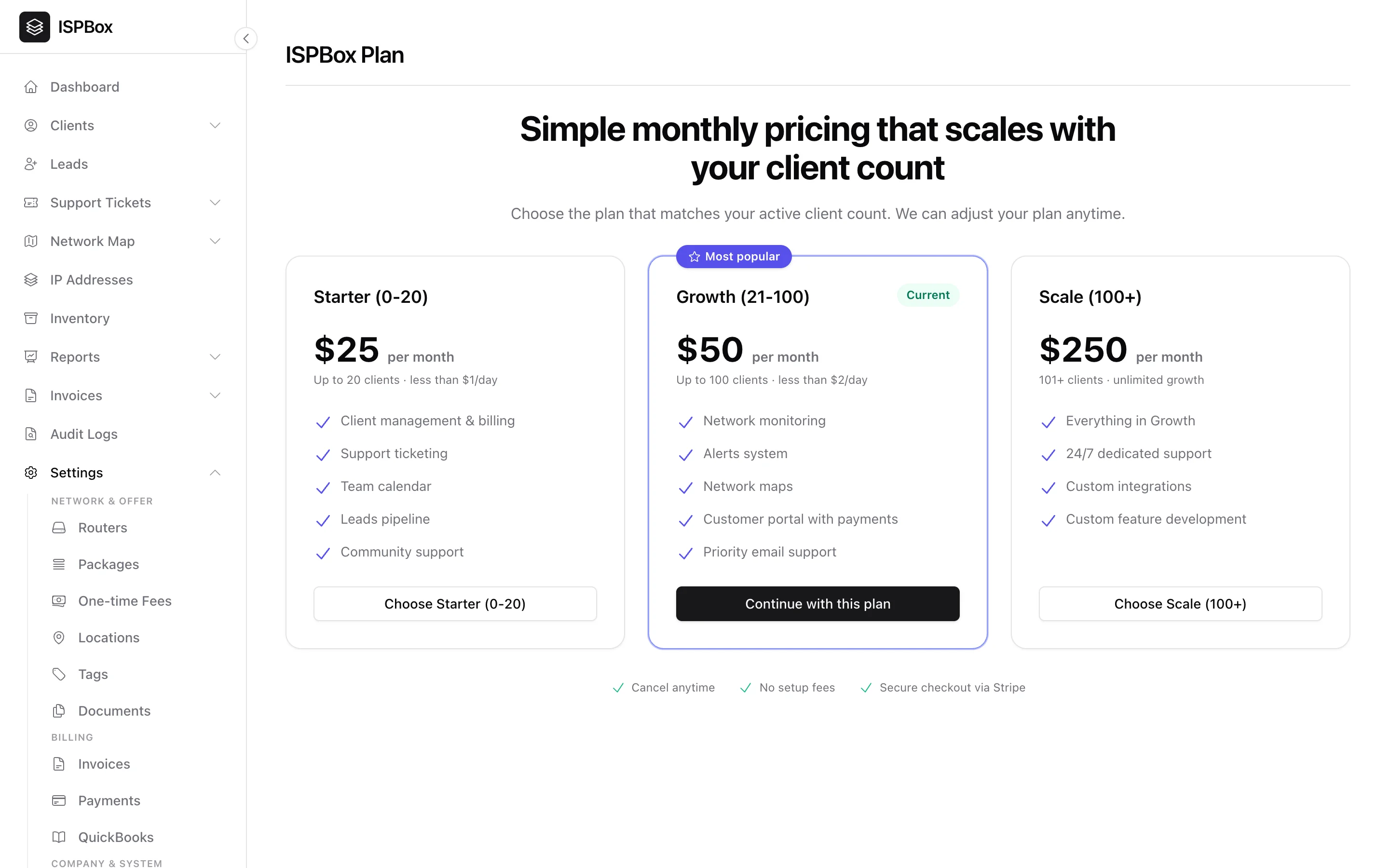
This is where you manage your own subscription to ISPBox - the plan that powers your panel. There is one plan, it includes every module, and the price follows how many subscribers you serve. Find it under Settings > ISPBox Plan (needs settings manage).
1. One plan, priced per subscriber
The plan is called ISPBox and starts at $25 per month. Above the minimum, your bill is worked out from your active subscriber count in graduated tiers:
- First 50 subscribers - $1.00 per subscriber
- 51-500 subscribers - $0.40 per subscriber
- Above 500 subscribers - $0.30 per subscriber
Two rules smooth the numbers out: your subscriber count is rounded up to the nearest 10, and there is a $25 monthly minimum. A panel with 55 billable subscribers is therefore billed as 60 - 50 x $1.00 plus 10 x $0.40 = $54 per month.
You never have to do that arithmetic yourself: the plan page shows a live estimate for your own workspace ("You have 55 billable subscribers - billed as 60 - $54 per month"), so you can see the price before you commit and watch it move as you grow.
There are no modules and no add-ons to buy. Client management and billing, support ticketing, the customer portal with payments, network monitoring and alerts, network maps, IPAM, inventory, client messaging, the REST API and the MCP server are all in the one price.
2. What counts as a billable subscriber
ISPBox counts clients, not services - a customer with three services is one subscriber. A client counts while it is active or overdue, and it keeps counting while it is blocked for non-payment (you are still carrying that customer). Clients you have marked inactive never count, and neither do leads.
Once a day ISPBox recounts your subscribers and pushes the billed quantity to Stripe, so whatever renews in the next 24 hours invoices the current number. You do not have to tell anyone that you signed up ten new customers - or that ten churned.
3. The 7-day free trial
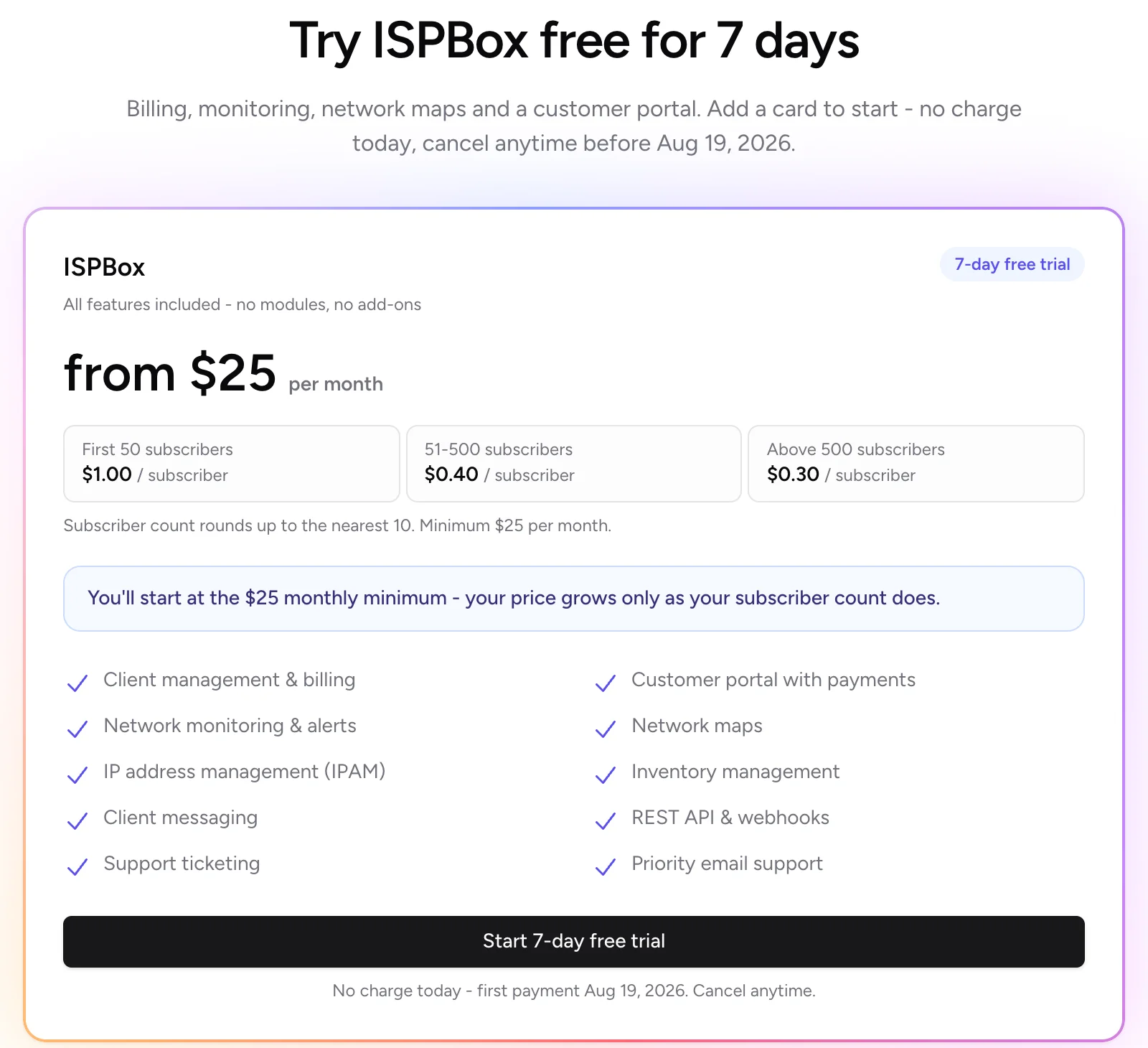
A brand-new workspace starts with a 7-day free trial. You add a card up front in Stripe's secure checkout, but nothing is charged today - the page names the exact date of your first payment, and you keep the full panel in the meantime.
- One trial per workspace. Once a workspace has used its trial, later plan changes go straight to a normal subscription.
- You get a reminder. A few days before the trial ends, ISPBox emails your workspace admins ("Your ISPBox trial ends soon") with the date and the amount that will be charged.
- Cancel before the end and you pay nothing. Use Manage subscription (see below) - no email, no phone call.
While the trial is running the plan page shows a banner with the end date, so you always know where you stand.
4. Checkout and Manage subscription
Starting the plan sends you to Stripe Checkout. There are no setup fees and you can cancel any time. Once the subscription exists, a Manage subscription button appears at the top of the plan page and opens the Stripe billing portal, where you can:
- update or replace the card on file,
- download your ISPBox invoices and receipts,
- cancel the subscription.
Closing the portal brings you straight back to the plan page. Only users with settings manage can open this page, change the plan or reach the portal. If billing is unresolved and ISPBox sends everyone to the plan page, staff without that permission see a note instead of the buttons: "Only tenant admins can change the billing plan."
5. If a payment fails
A failed renewal puts your subscription in past due. You keep working: ISPBox grants a 7-day grace period after the end of the paid period so a bounced card never takes your panel away mid-week. If it is still unpaid after that, the panel redirects to the plan page until billing is back in order. Fix the card in the billing portal and access returns as soon as Stripe collects.
6. Legacy plans (Starter, Growth, Scale)
ISPBox used to sell a three-tier ladder - Starter $25 (0-20 clients), Growth $50 (21-100) and Scale $250 (100+). That ladder is no longer sold. If your workspace is already on one of those plans, nothing has changed for you:
- You keep the plan and its grandfathered price. Your plan page lists the per-subscriber plan first and your old tiers underneath, headed Your legacy plans - Grandfathered pricing.
- You can still move up and down the ladder as your client count changes.
- Switching to per-subscriber pricing is one-way. The button asks you to confirm, and once you switch, the old plan and its price cannot be restored.
One difference worth knowing: legacy Starter does not include the premium modules, so network maps, monitoring, alerts, IPAM, inventory, client messaging and the API/MCP server still show as locked on it. The per-subscriber plan includes all of them, which is usually the reason people switch.
The old free tier is retired as well. Free workspaces keep access until December 31, 2026 and need a paid plan to continue in 2027.