Payment Gateways
Let customers pay invoices online from the portal, with money settling straight to you. Connect Stripe, PayPal, Authorize.net or Square - enable several at once and let customers choose.
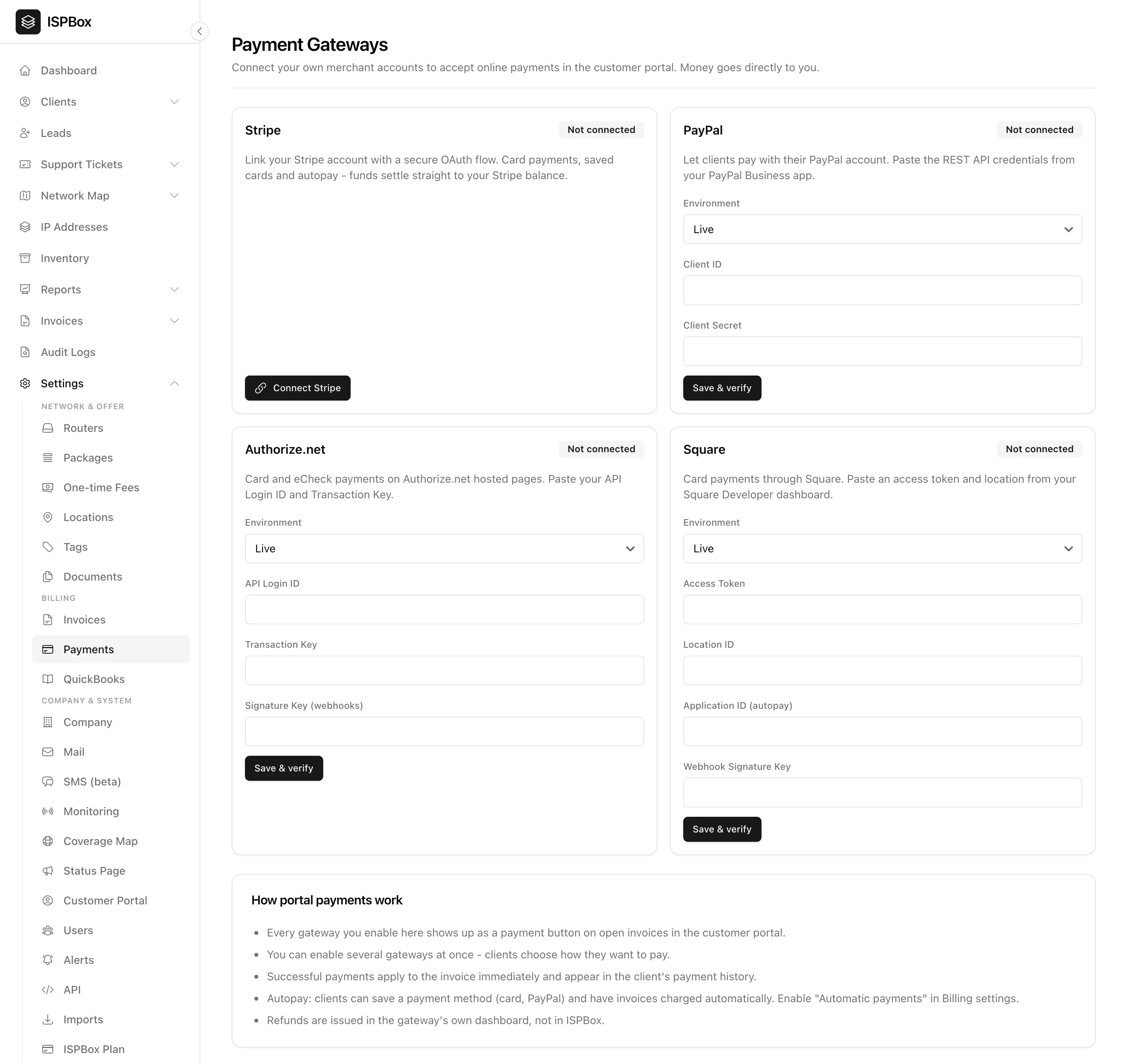
Payment gateways let your customers pay their invoices online, straight from the customer portal. ISPBox connects to your own merchant accounts, so money settles directly to you - ISPBox never touches the funds. Configure them under Settings > Payments (needs settings manage).
1. Supported gateways
You can connect any or all of four gateways, and enable several at once so customers choose how to pay:
- Stripe - linked with a secure OAuth "Connect" flow (no keys to copy). Supports card payments, saved cards and autopay.
- PayPal - paste the REST API Client ID and Secret from your PayPal Business app; supports one-time payments and, where available, saved-method autopay.
- Authorize.net - card and eCheck via hosted pages; paste your API Login ID and Transaction Key.
- Square - card payments; paste an Access Token and Location from your Square Developer dashboard.
Each card shows a live connection status, and the credential gateways have a Save & verify button that checks the details before going live.
2. Connecting Stripe
Click Connect Stripe and sign in with your Stripe account - ISPBox links it over OAuth and reports back whether charges and payouts are enabled. You can refresh the status or disconnect at any time. (Stripe Connect must be configured on the server first; the page tells you if it is not.)
3. Webhooks
PayPal, Authorize.net and Square use webhooks so ISPBox learns about completed payments even if the customer never returns to the portal. The page shows the exact webhook URL and the steps to register it in each provider's dashboard - paste the resulting signature key back into ISPBox.
4. How portal payments work
- Every enabled gateway appears as a payment button on open invoices in the customer portal.
- Successful payments apply to the invoice immediately and show in the customer's payment history.
- Autopay: customers can save a card (or PayPal) and have invoices charged automatically - enable it in Automatic payments.
- Refunds are issued from the gateway's own dashboard, not from ISPBox.