Data Imports
Migrate from another ISP platform into ISPBox. Splynx, UISP (Ubiquiti) and lead CSVs are live: chunked uploads for multi-gigabyte backups, analysis and a dry run before anything is written, and a full rollback.
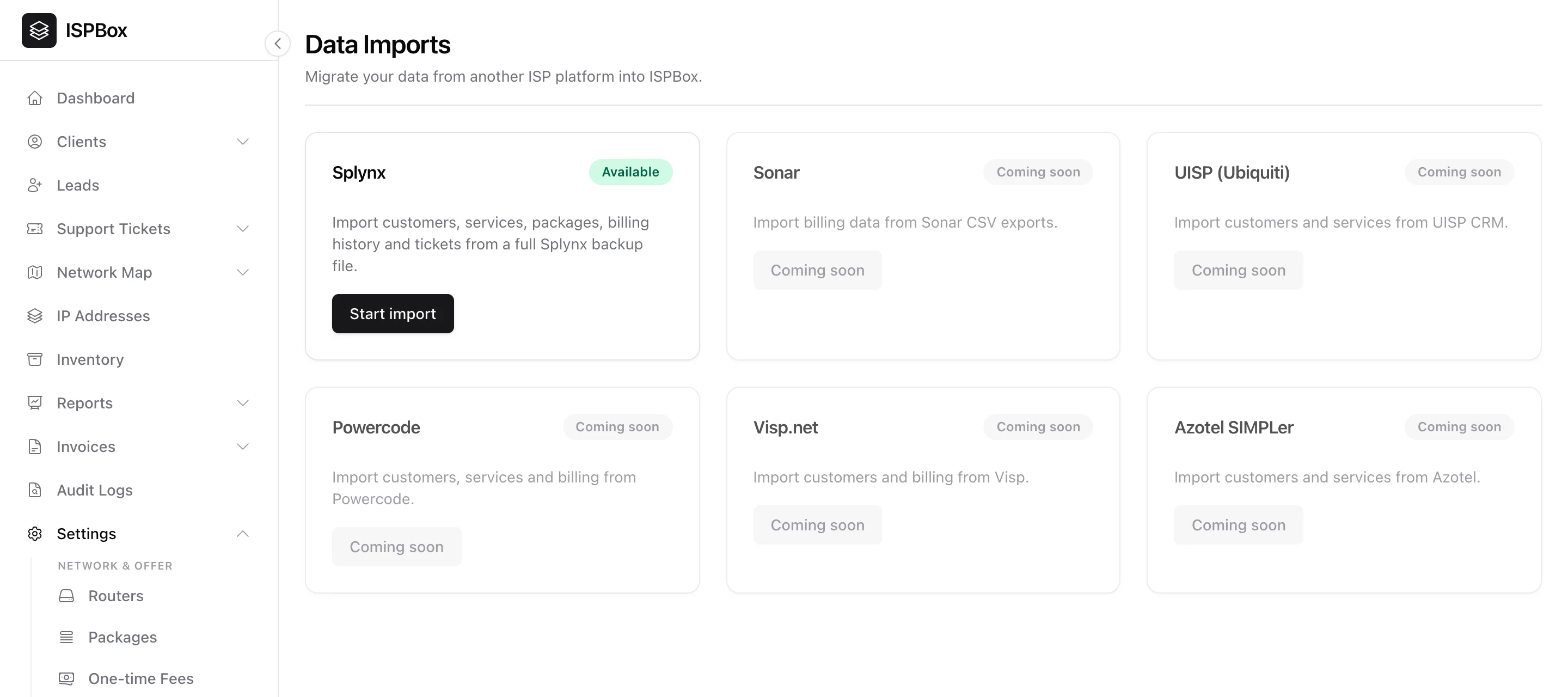
Switching to ISPBox from another platform? The import tools migrate your existing data - customers, services, packages, billing history and tickets - so you start with everything already in place instead of re-keying it. Find them under Settings > Imports (needs settings manage).
1. What you can import today
Three importers are live, each marked Available with a Start import button on its tile:
- Splynx - a full Splynx backup (.zip, up to 2 GB) brings customers, services, packages, billing history and tickets. Splynx makes you set a password when you download the backup; enter it together with the file - it is used only to open the archive and is never stored.
- UISP (Ubiquiti) - a full UISP backup (the .zip as downloaded, or the .uisp file inside it, up to 4 GB) brings clients, services, plans, billing history, tickets and saved Stripe cards. It can also bring the network across: towers become locations, client radios land on their services, every device goes into inventory, and the tower-to-client connection map is rebuilt on your network map.
- Leads (CSV) - lead exports from Meta or Google lead forms, or any spreadsheet with a header row. You map the columns, pick the source and campaign for attribution, and leads are deduplicated by email.
Saved cards are worth a note: UISP's Stripe cards keep working once the same Stripe account is connected to ISPBox, while cards held by UISP Pay cannot be moved and those customers have to re-enter them in your portal.
2. Platforms still on the roadmap
Sonar, Powercode, Visp.net and Azotel SIMPLer appear on the page as Coming soon. If you are moving from one of these, write to [email protected] - we run those migrations with you.
3. How a backup import runs
Splynx and UISP backups are often several gigabytes, so the upload is chunked: your browser slices the archive into 50 MB pieces and sends them one after another with a progress bar. That is what keeps a multi-gigabyte backup from being rejected by the request-size limit of whatever proxy or CDN sits in front of your panel. Always upload through this page - there is no need to copy files onto a server.
From there it is a three-step flow, and nothing is written to your workspace until you ask for it:
- Analysis - a background job opens the backup and reports what is inside: the source version, client, service and ticket counts, invoices and open balance, every plan it found with prices and speeds, saved cards, and any warnings.
- Dry run - the same import with the writes switched off, so you see exactly what it would create. The real import button stays locked until a dry run has finished ("Run a dry run first to unlock the real import").
- Run import - writes the data with a live progress bar. Re-importing the same backup later updates the matching records in place instead of duplicating them.
Before either run you choose what comes across with per-source toggles: billing history (invoices, payments, credit notes, refunds and the client ledger), support tickets, saved Stripe cards, devices and the connection map, and whether the source system's leads should arrive as pending clients. Splynx adds an option to bring deleted customers in as archived.
Credit notes and refunds are booked into the client ledger, not only stored: a credit note that already settled invoices in the old system lands as a credit right away, a note that was still unused becomes a credit line on the next invoice, and a Splynx deposit is kept for reference only because the imported payments already carry it. A daily audit lists any adjustment that has no effect on a balance.
Analysis, dry run, import and removal all run on the queue, so a queue worker has to be running - if it is not, the progress card sits on "Waiting for a queue worker...".
4. Changing your mind: start over, or remove everything
- Discard upload / Start over - while an import has not run yet, throw the batch away and upload a different backup. Nothing was written, so nothing to clean up.
- Remove imported data - the rollback. Type DELETE IMPORT to confirm and ISPBox deletes everything that import created: clients, services, packages, invoices, payments and tickets. Records you created by hand are never touched. This still works after you discarded the batch - the page notices leftover imported clients and offers to remove them.
5. Before you import
- Imports are a big change - do them on a fresh workspace, or before you have started entering data by hand, to avoid duplicates.
- Run the dry run and read the warnings. It costs you two minutes and tells you what the real run will do.
- Line up your packages and locations so imported services map cleanly.
- Review the results afterwards - spot-check a few customers, their services and balances before going live.