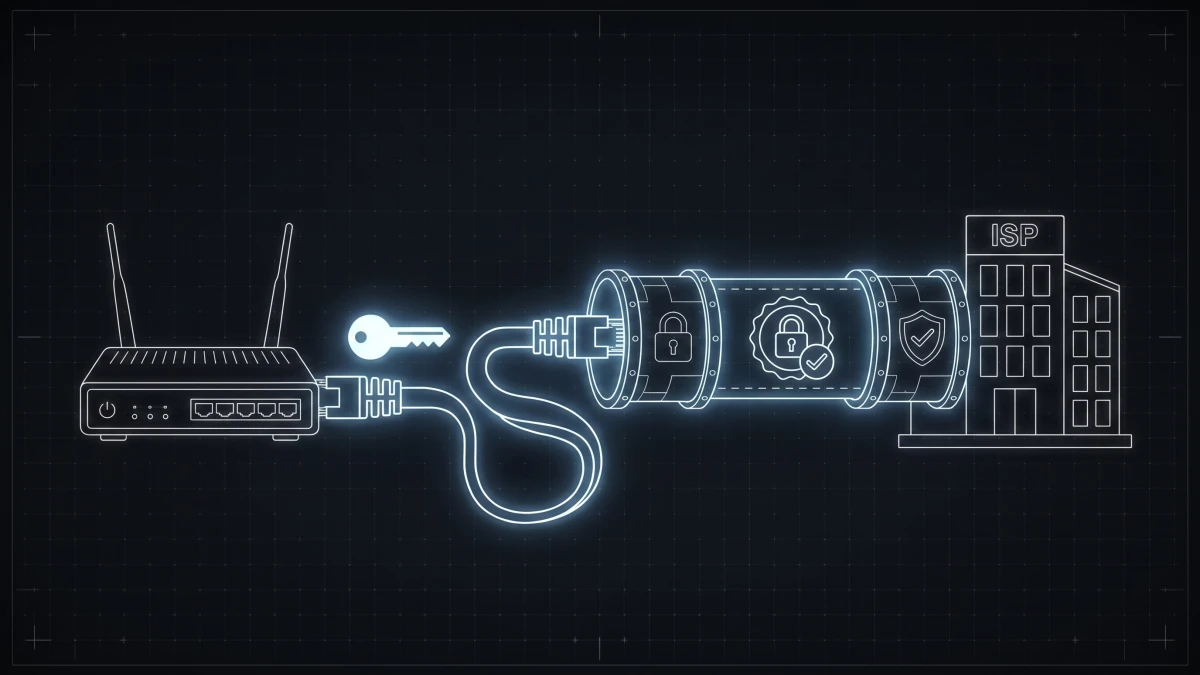
You have probably met PPPoE in one of two ways. Either you were setting up a home router and a field asked for a "PPPoE username and password" you did not know you had - or you run a network and PPPoE is how every one of your subscribers gets online. This guide covers both altitudes: what PPPoE is in plain terms, and then what it actually does inside an ISP's operation.
The plain-English version
PPPoE stands for Point-to-Point Protocol over Ethernet. It is a way for your router to log in to your internet provider - with a username and password - before it gets an internet connection.
That is the key idea: with PPPoE, internet access is a session, like being logged in to a website. Your router starts the session, stays connected, and the ISP knows exactly whose session it is at all times.
If your ISP uses PPPoE, the username and password were assigned to you at signup (they are in your welcome email or contract - and no, they are not your Wi-Fi password). Type them into the router's WAN settings once and forget about them.
Why do some ISPs ask for this while others just work when you plug in? The plug-and-play providers use DHCP or IPoE instead - we compare the approaches head-to-head in PPPoE vs DHCP vs IPoE. The short version: PPPoE trades a little setup friction for something ISPs value a lot - certainty about who is on the line.
How the session actually starts
Under the hood, a PPPoE connection begins with a short discovery conversation: the customer's router broadcasts "any PPPoE servers out there?", the ISP's access router answers, and the two establish a session. Then the login happens, and here is where it gets interesting for operators - because the access router usually does not check the password itself.
It forwards the credentials to a RADIUS server, the ISP's central authority on subscribers. RADIUS answers with more than yes or no. Its acceptance carries the subscriber's entire service definition: the speed limit for their plan, their IP address (public, static, or from a CGNAT pool), an IPv6 prefix, session limits. The access router applies whatever it receives. We wrote a full guide on this division of labor in What is a RADIUS server?
One practical detail worth knowing: PPPoE headers consume 8 bytes, so subscriber traffic typically runs at an MTU of 1492 instead of 1500 - the source of a whole genre of "some websites don't load" support tickets when MSS clamping is missing.
Why ISPs keep choosing PPPoE
For an operator, the session model buys four things that are hard to get otherwise:
Identity, not geography. The subscriber is whoever logged in - not whichever port or apartment the cable happens to reach. Customers can move, swap routers, or sit behind any access layer, and the account follows the login.
Per-subscriber control. Because every session is authenticated, every session can carry its own speed limit, IP assignment, and quota - delivered by RADIUS at login, per plan, per customer.
A clean enforcement point. When a customer upgrades, the new speed is just a new RADIUS attribute. When an invoice goes unpaid, the account can be suspended or redirected at the session level. With CoA (Change of Authorization), both can happen live, without dropping the connection.
Accountable usage. Session accounting - who connected, when, from where, how many bytes - flows back automatically, feeding usage reports, data caps, and the paper trail every ISP eventually needs.
The gap between the protocol and the business
Here is the part vendors gloss over: PPPoE and RADIUS give you the mechanism for all of the above. They do not give you the system.
The protocol does not know your billing cycle. Out of the box, nothing connects "invoice 30 days overdue" to "session suspended" - that link is yours to build and maintain. Same for "customer bought an upgrade in the portal" becoming a new rate limit, or "seasonal customer paused for winter" becoming a disabled login. ISPs that run bare PPPoE/RADIUS stacks end up gluing these flows together with scripts, and the glue becomes the most fragile part of the network.
This is exactly the layer ISPbox provides. Subscribers, plans, and invoices live in one system that drives the PPPoE/RADIUS stack: sign a customer and their PPPoE credentials provision automatically; change their plan and the new speed applies via CoA without a reconnect; let an invoice lapse and the session suspends itself - then restores the moment payment lands in the customer portal. MikroTik and multi-vendor RADIUS profiles, IPv4 pools, and IPv6 prefix delegation included.
If you run the network: that is the difference between operating PPPoE and babysitting it.
FAQ
What is a PPPoE username and password? Credentials your ISP assigns to your account (not your Wi-Fi password) that your router uses to log in to the provider's network. They are set once in the router's WAN settings and identify your subscription.
Is PPPoE still used in 2026? Very much so - especially by independent ISPs, WISPs, and fiber operators who want per-subscriber authentication, speed control, and accounting through RADIUS.
Does PPPoE slow down your internet? The encapsulation overhead is 8 bytes per packet - negligible on modern hardware. Badly configured MTU/MSS can cause issues, but a properly configured PPPoE connection performs equivalently to DHCP for real-world use.
What is the difference between PPPoE and DHCP? DHCP hands out addresses with no login; PPPoE creates an authenticated session per subscriber. PPPoE gives the ISP per-customer identity and control; DHCP is simpler for the end user. See our full comparison of PPPoE vs DHCP vs IPoE.