Fiber Network: ONUs, Light and Outages
The Fiber pages: every OLT and PON port at a glance, the ONU list, light history per ONU, PON and OLT outages as incidents, and the staff notifications for fiber.
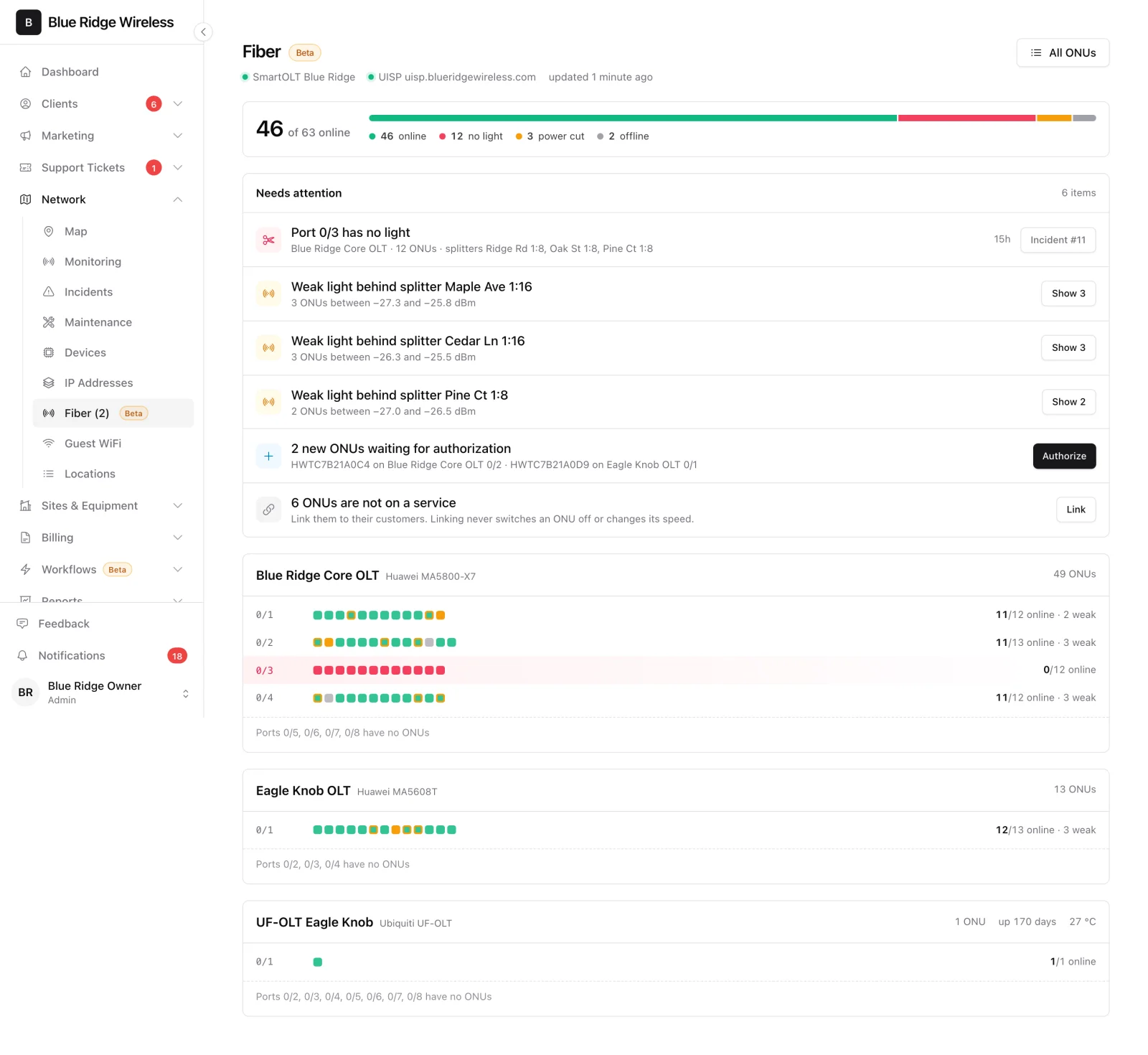
Once an OLT system is connected (see Fiber (OLT): Connect SmartOLT or UISP), Network > Fiber shows the whole fiber network: which ONUs are online, how much light they get, which port or splitter has a problem, and which customers are behind it. The menu item shows how many new ONUs are waiting to be authorized.
1. The Fiber overview
At the top: how many ONUs are online, with no light (LOS), with a power cut, or offline. Under it, Needs attention lists what to look at first: PON ports with no light (with the incident ISPBox opened), splitters with several weak ONUs behind them, ONUs waiting for authorization, and ONUs not on a service yet. Below that every OLT, with each PON port as a row of dots, one dot per ONU.
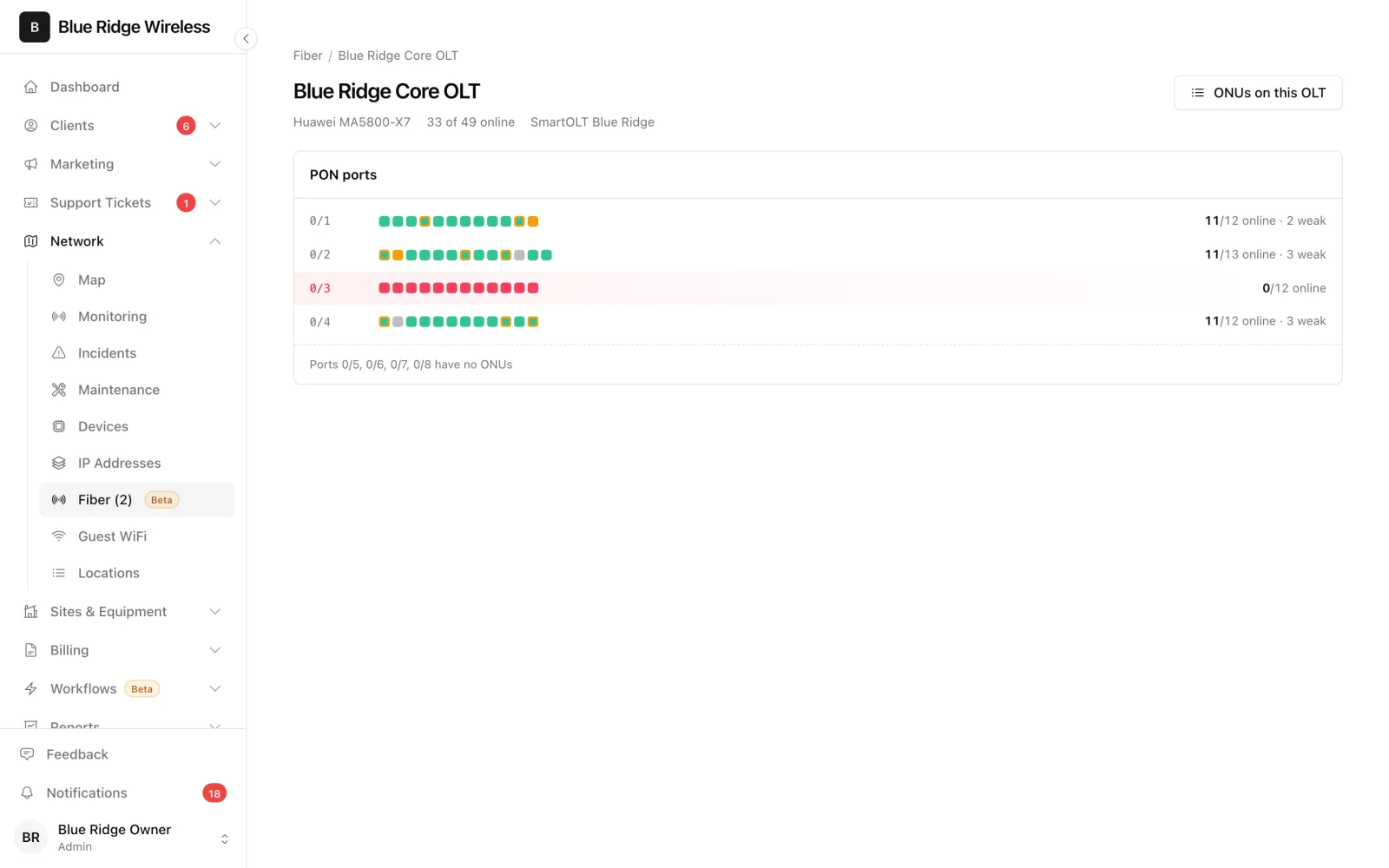
Click an OLT for its page: its model, how many of its ONUs are online, and every PON port with its ONUs.
2. The ONU list
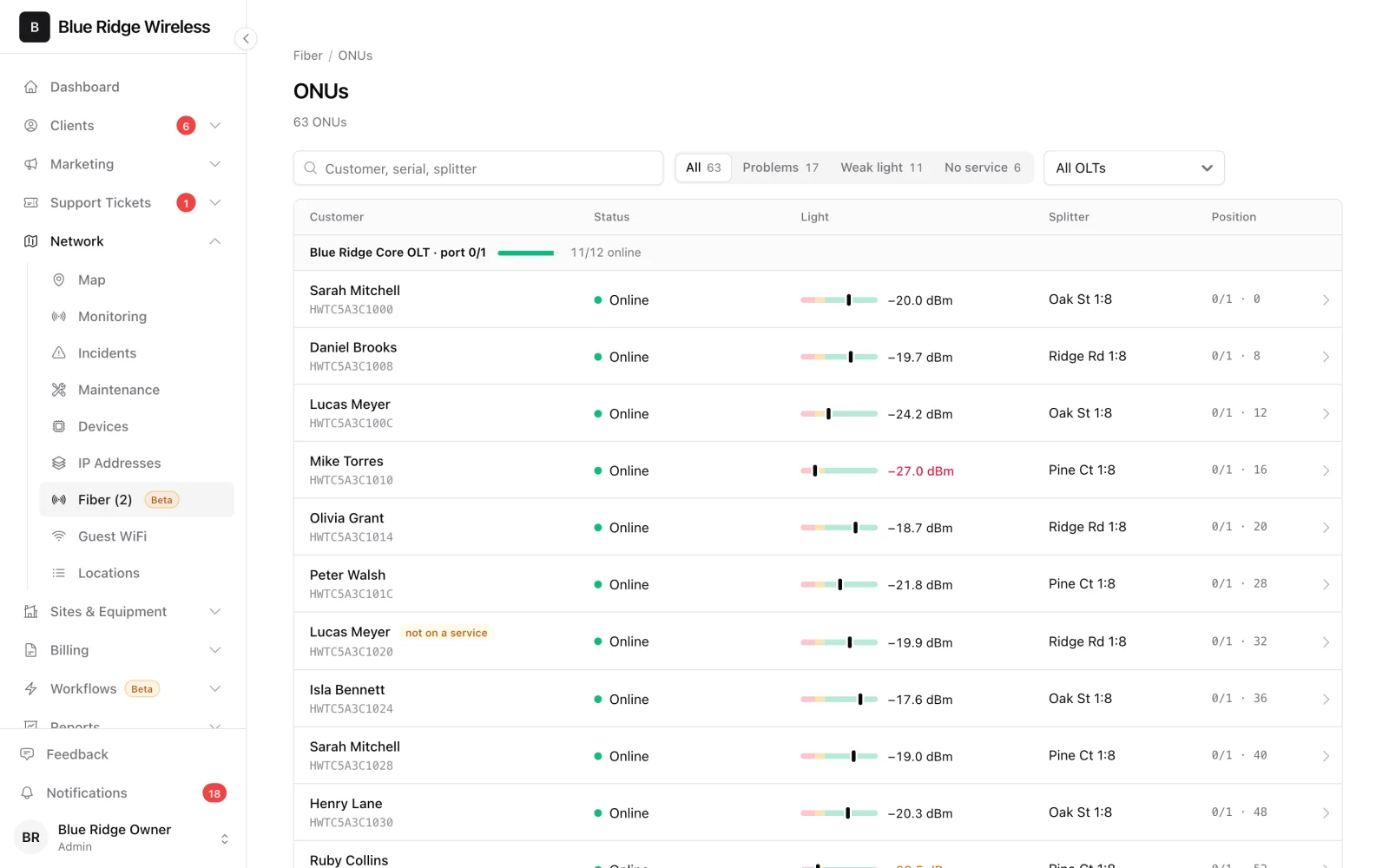
All ONUs lists every ONU by OLT and port with its customer, status, light, splitter and position. Search by customer, serial or splitter, filter to Problems, Weak light or No service, or pick one OLT.
3. The ONU page
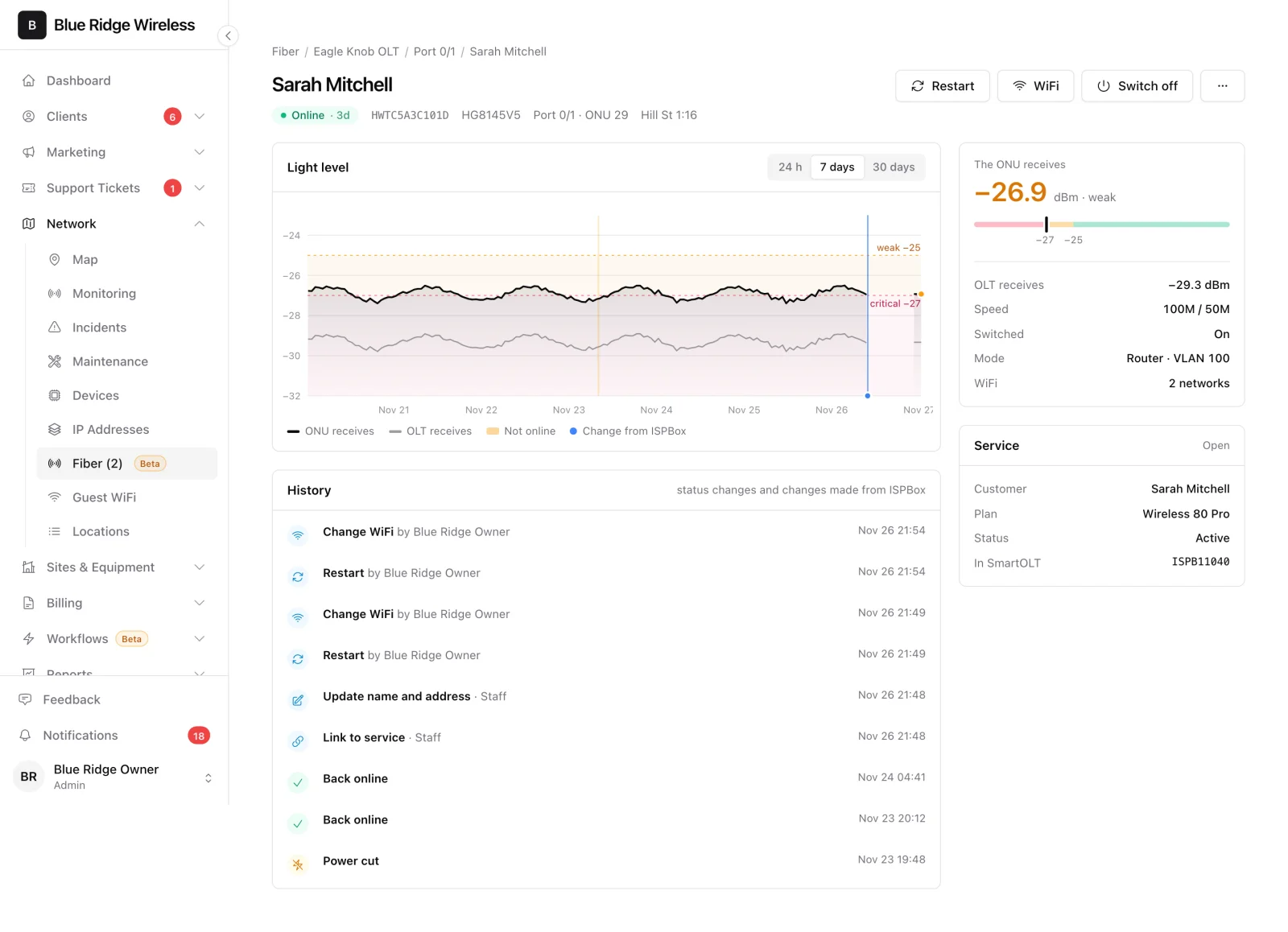
- Light level: what the ONU receives and what the OLT receives from it, over 24 hours, 7 days or 30 days, with the weak and critical lines, the times it was not online shaded, and a dot for every change made from ISPBox. On UISP the week of light history UISP keeps is copied in when ISPBox first reads the ONU.
- The ONU receives: the current light with good, weak or critical; the speed set on the ONU ("No limit" on UISP when none is set); switched on or off; mode, VLAN and WiFi networks.
- Service: the customer and plan, or a button to link it.
- History: status changes (offline, no light, power cut, back online) and every change made from ISPBox, by whom. A restart too short to be seen offline between two checks shows as Reconnected.
4. Outages become incidents
When every ONU on a PON port goes dark, or a whole OLT goes down, ISPBox waits your incident grace period and opens an incident with the customers behind it, the same as any outage from monitoring (see Outage Incidents). The title says what happened: no light on the port, a power outage in the area (when the ONUs report a power cut), or customers offline. A port under a down OLT becomes part of the OLT's incident. The incident closes when the OLT system reports the port or OLT working again.
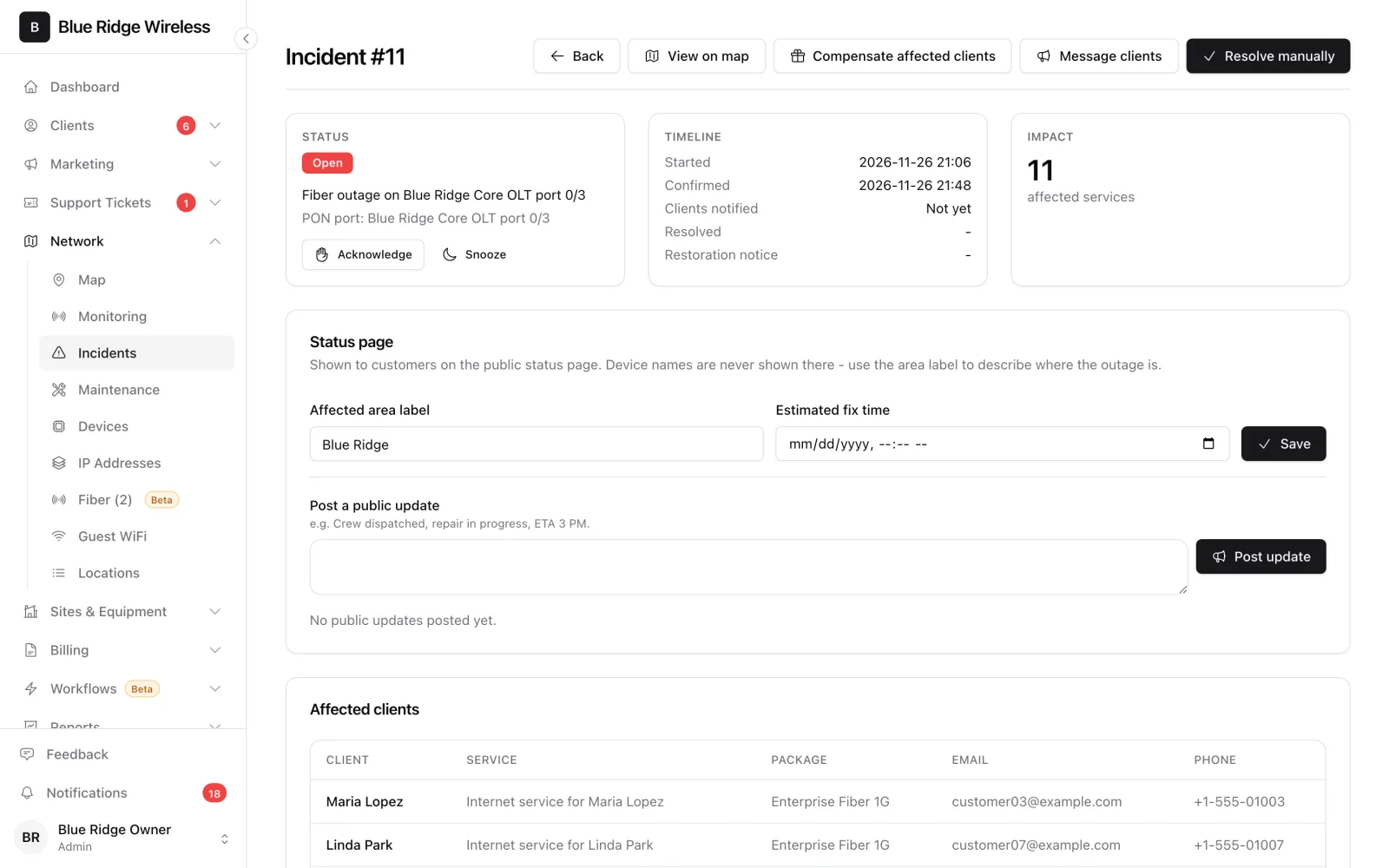
SmartOLT reports outages itself. UISP does not, so ISPBox checks every five minutes and counts a port as down when every ONU on it (two or more) is down. Maintenance windows on the network, or on the OLT's or port's place on the map, hold these incidents like any other.
5. Staff notifications
In Notifications each person can choose which of these they receive:
- Weak fiber signal: an ONU's light became critical, or fell 3 dB or more below its usual level. Several ONUs on one splitter come as one.
- ONU change failed: ISPBox could not switch an ONU on or off, change its speed or WiFi, or authorize it, after trying again.
- ONU switch-offs held: the brake held more switch-offs than usual for someone to confirm.
- ONU changed outside ISPBox: an ONU was switched on or off, or got another speed, in the OLT system.