Fiber (OLT): Connect SmartOLT or UISP
Connect SmartOLT or Ubiquiti UISP to ISPBox, turn on live updates from SmartOLT, and decide what billing does to the ONUs: blocks, limits, plan changes and the end of a service.
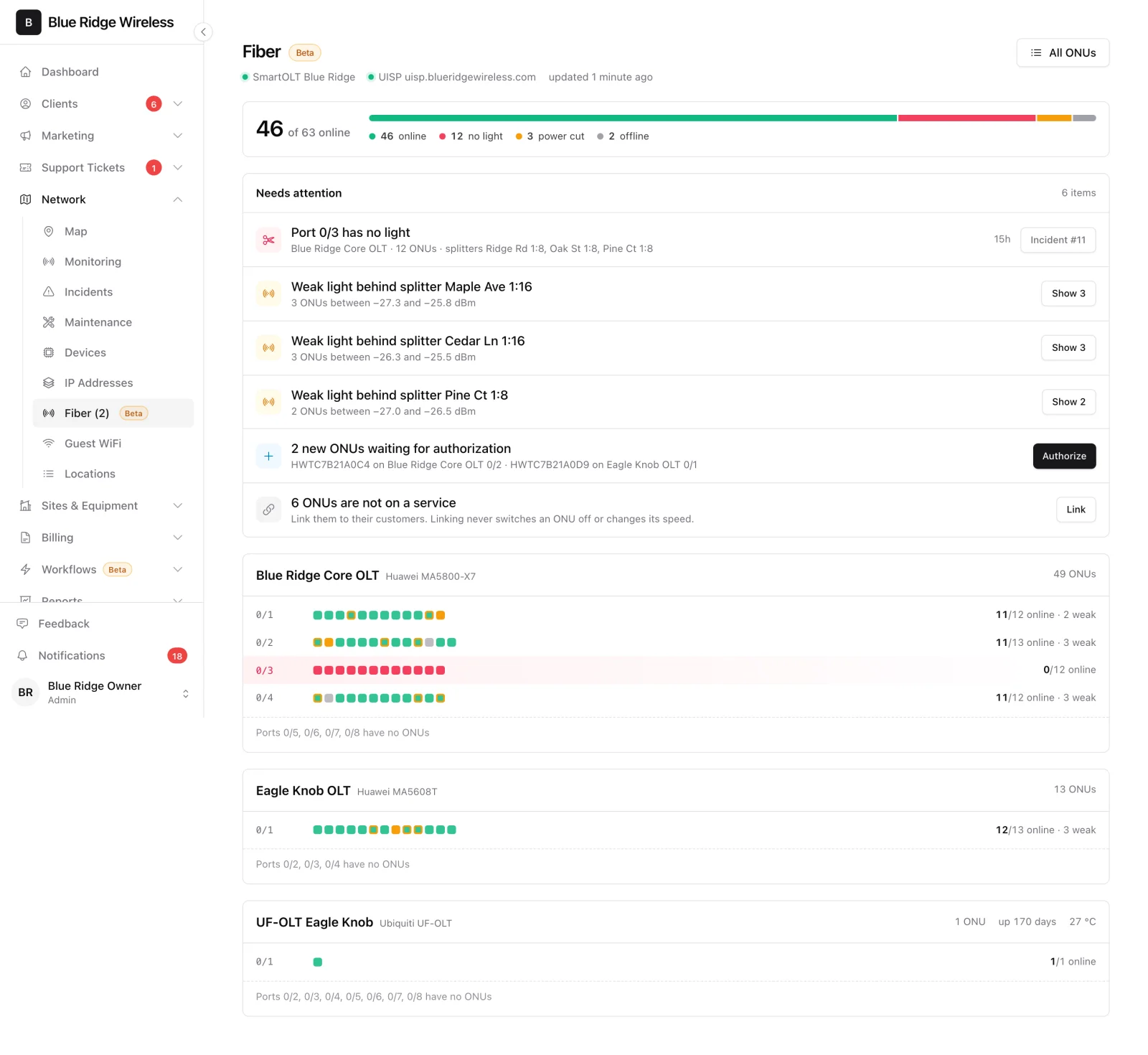
The fiber module connects ISPBox to the system that runs your OLTs: SmartOLT (Huawei, ZTE and the other OLTs it manages) or Ubiquiti UISP for UFiber OLTs. ISPBox then reads every OLT, PON port and ONU, puts each ONU on the customer's service, and lets billing switch ONUs off and on. The module is in beta: it runs against live systems, and we add to it as operators use it.
This article covers connecting the OLT system and the connection settings. ONUs on Services covers authorizing and linking ONUs, and Fiber Network the pages your team uses every day.
1. Connect SmartOLT or UISP
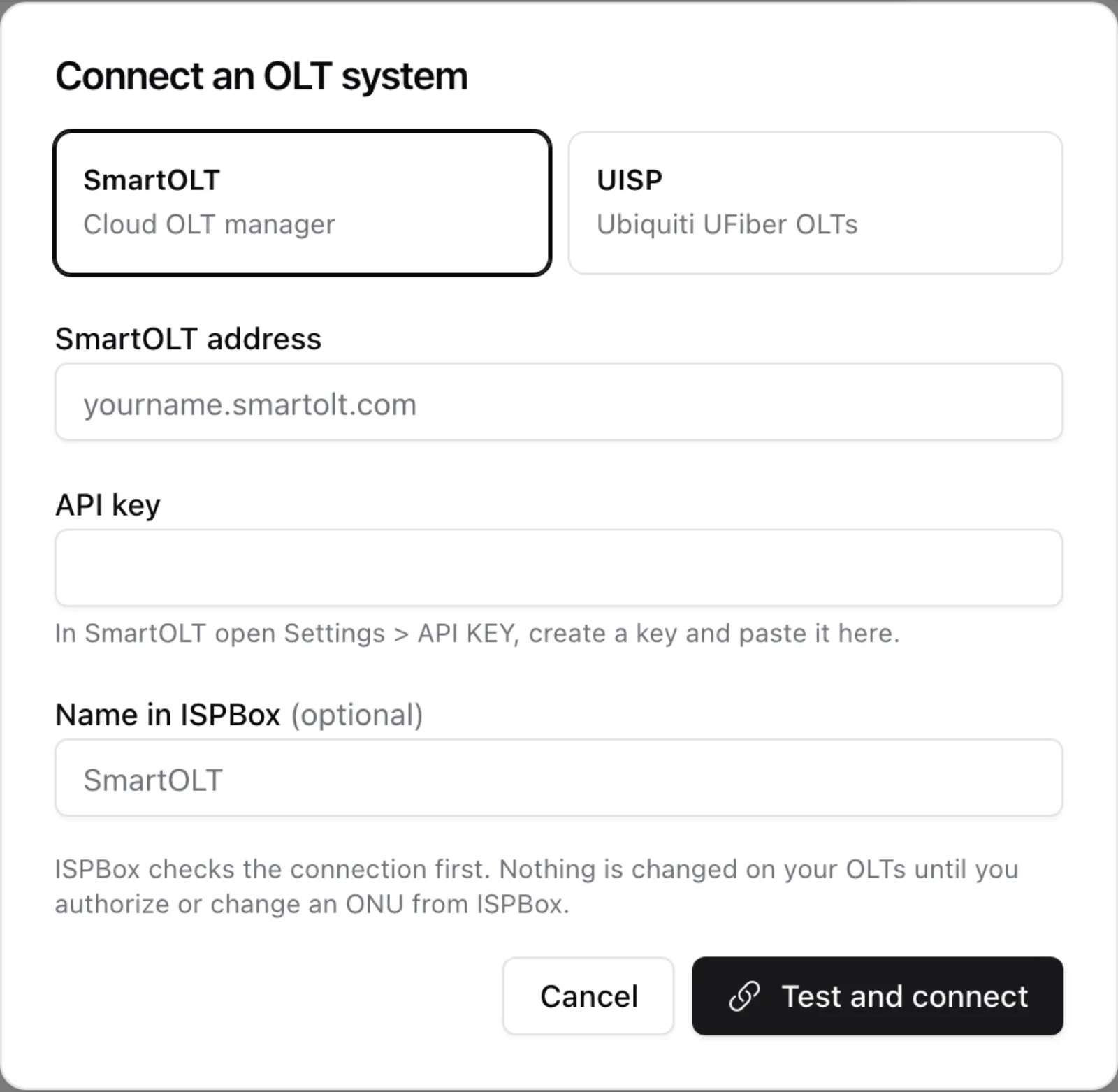
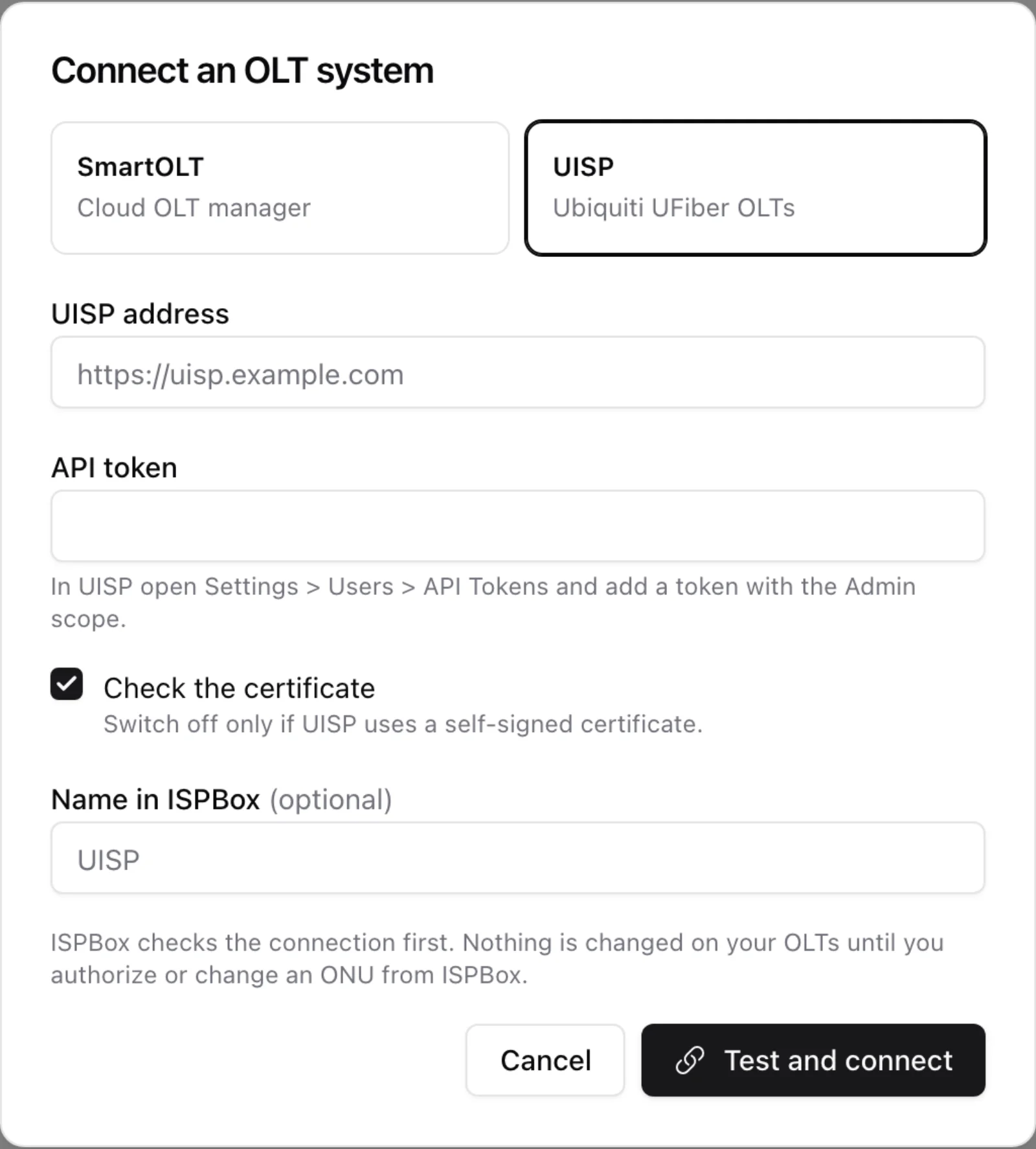
Open Settings > Fiber (OLT) and click Connect. Pick the system:
- SmartOLT: your SmartOLT address (for example
yourname.smartolt.com) and an API key. In SmartOLT the key is under General > API key. - UISP: the address of your UISP server (for example
uisp.example.com:8443) and an API token created in UISP. If UISP runs with a self-signed certificate, switch off Check the certificate.
Click Test and connect. ISPBox reads a sample first and saves the connection only if that works, so a wrong key never becomes a connection. Then it reads your OLTs, PON ports and every ONU; on a big SmartOLT account this takes a minute or two. One workspace can have several connections, for example SmartOLT for one region and UISP for another. One SmartOLT account can belong to one ISPBox workspace only.
2. The connection page
Each connection has its own page with tabs. Status shows how many OLTs and ONUs ISPBox reads, when it last read them and, for SmartOLT, how many API calls are left this hour (SmartOLT allows 1,000). Read now reads everything again. Here you also replace the API key or remove the connection; removing it stops ISPBox reading and changing these OLTs and changes nothing on them.
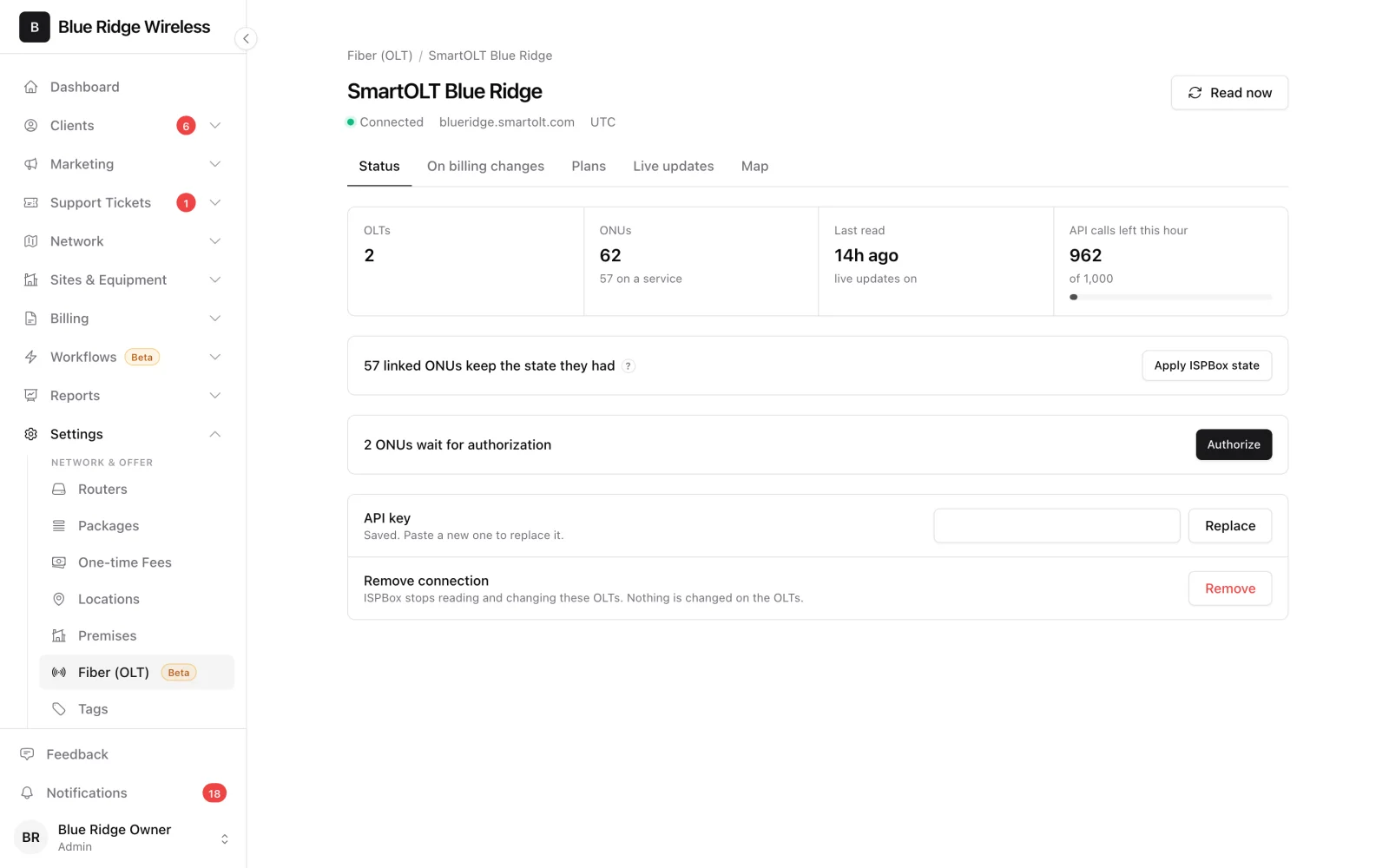
When you link ONUs that already work, ISPBox leaves them as they are. The Status tab then shows linked ONUs keep the state they had with an Apply ISPBox state button: press it when you are ready for those ONUs to follow their services. Any switch-offs this causes are held for you to confirm first.
3. Live updates from SmartOLT
SmartOLT can push events (status changes, new unconfigured ONUs, PON and OLT outages) to ISPBox, so they show within seconds instead of at the next read. On the Live updates tab:
- In SmartOLT open General > API key and click Edit on your key.
- Under Webhook paste the address ISPBox shows and tick every event.
- Paste SmartOLT's signing secret into ISPBox, save, then click Send test event in SmartOLT. The tab shows Working once the test event arrives.
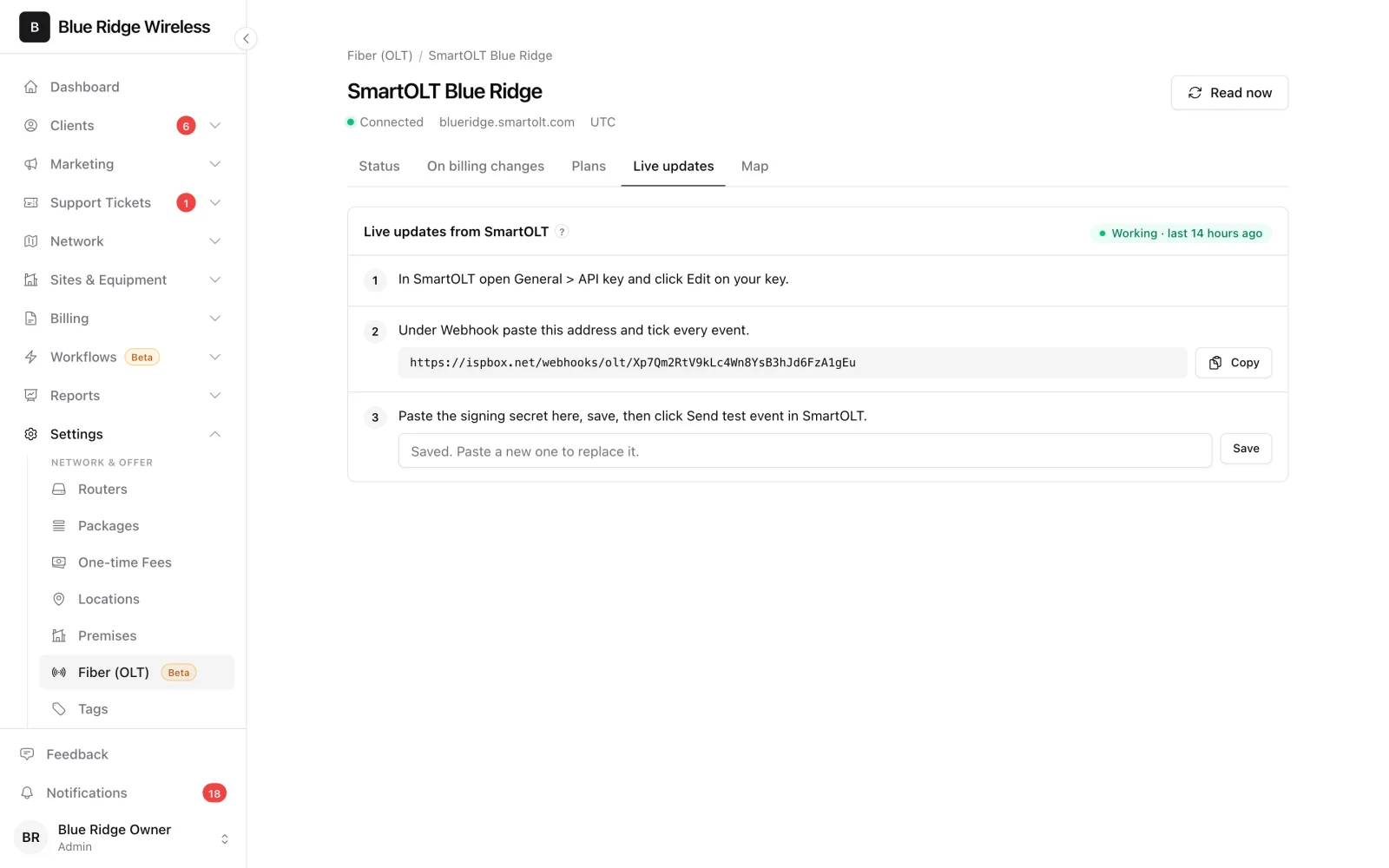
Without live updates ISPBox reads SmartOLT on a schedule within the hourly API budget. UISP has no such events: ISPBox checks UISP every five minutes, so this tab does not show for UISP.
4. On billing changes
This tab decides what ISPBox does to the ONUs when something changes in billing:
- When a service is blocked: Switch off unless a router blocks it (default; a customer whose router blocks them keeps the ONU on so they can still reach the payment page), Always switch the ONU off, or Never touch the ONU.
- Speed when billing limits: the speed profiles an ONU gets when billing limits a service instead of blocking it.
- When a service ends: switch the ONU off, leave it as it is, or remove it from the OLT.
- Internet setup on a new ONU: what ISPBox sets after it authorizes an ONU: leave it (or to the SmartOLT preset), PPPoE with the service login, DHCP, or bridge.
- Set the ONU speed from the plan: a plan change changes the ONU's speed.
- SmartOLT only: Switch an unpaid customer off again if switched on in SmartOLT (after 30 minutes), Keep names and addresses in SmartOLT up to date, and Give linked ONUs ISPBox ids.
- Put new ONUs on the map under their splitter.
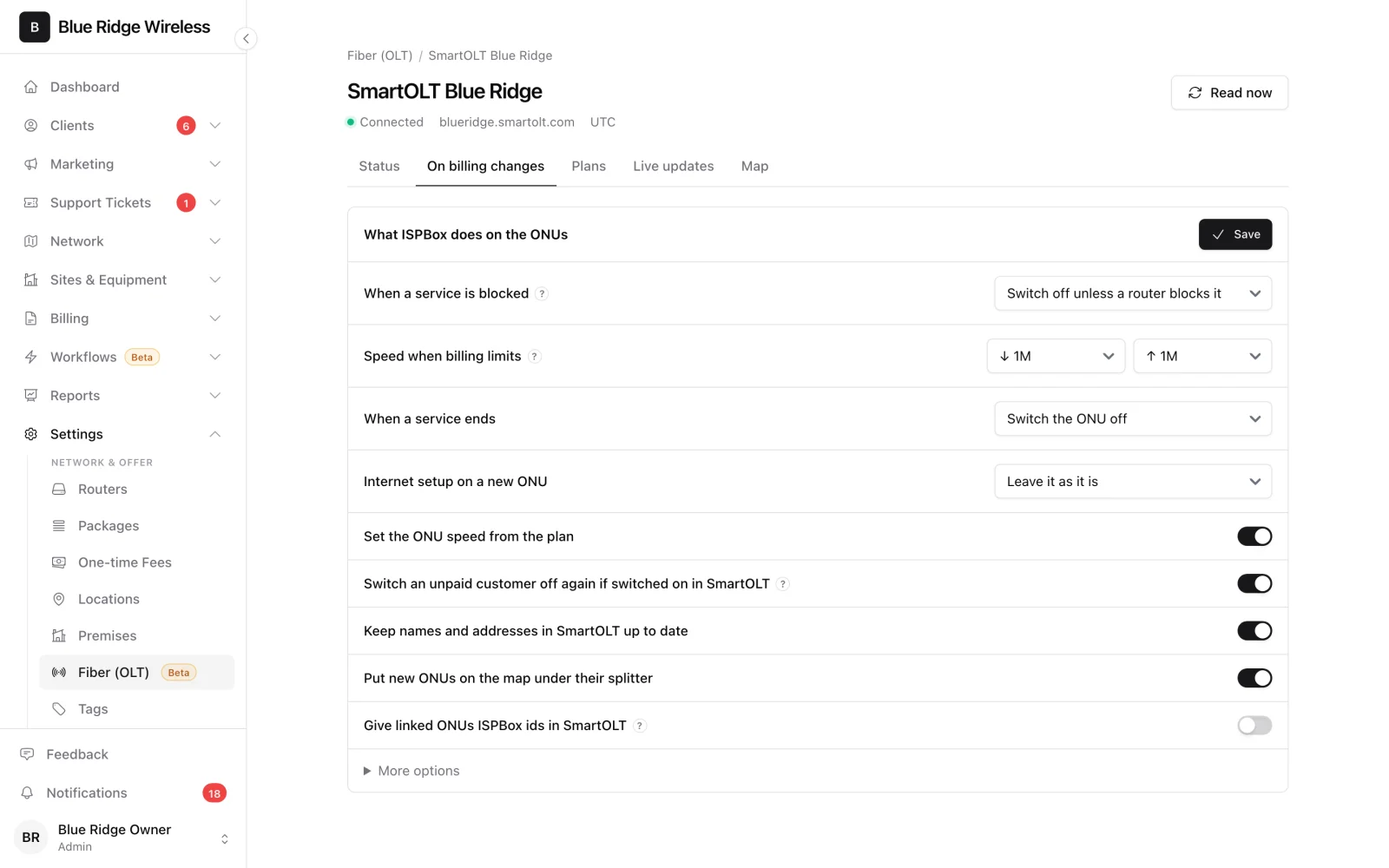
UISP cannot switch an ONU off through its API, so on a UISP connection blocking stays with your router: the tab says so instead of offering a choice, and staff get a notification when a blocked customer would stay online.
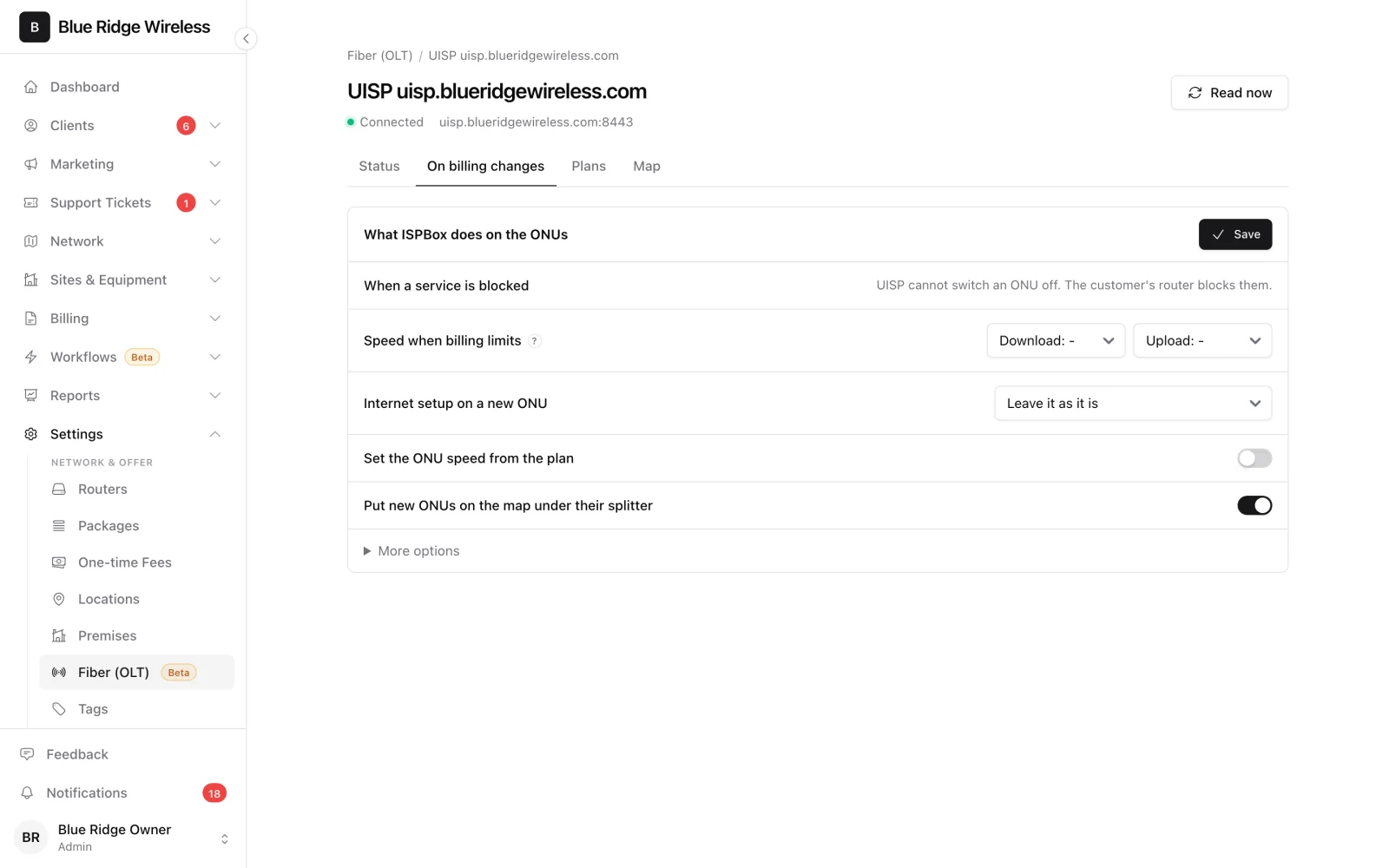
Under More options: the light levels that count as weak and critical (-25 and -27 dBm by default), the switch-off brake (more switch-offs than this in one hour are held for a person to confirm; Automatic is 20, or 10% of the linked ONUs when that is more), the account time zone and the connection's name.
5. Plans on the OLT
The Plans tab says what each plan means on the OLT: download and upload speed, and for SmartOLT the zone, ONU mode (router or bridge), VLAN and an optional authorization preset. ISPBox uses this when it authorizes an ONU and when a plan changes.
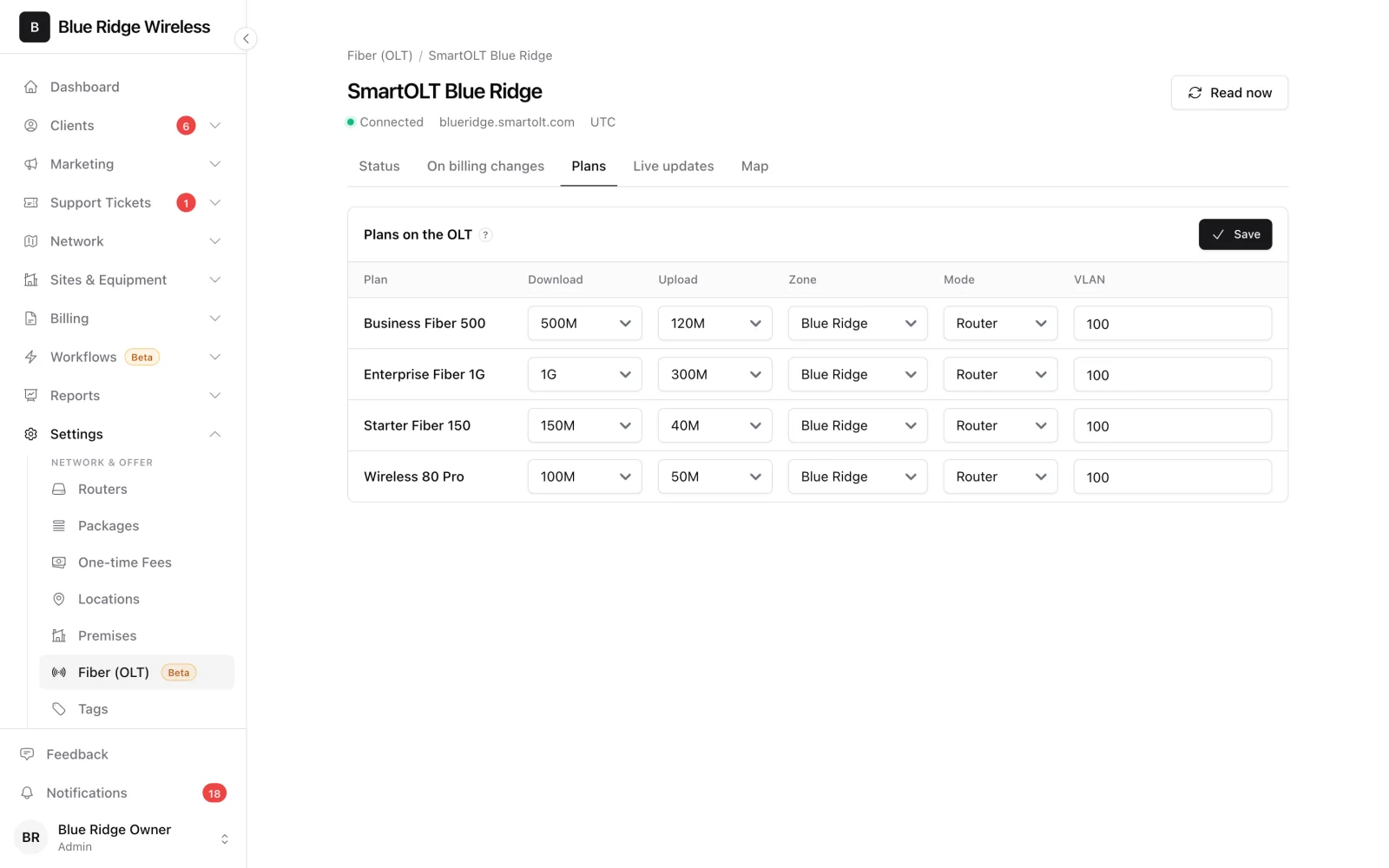
On UISP the speed is a plain number of Mbps on the ONU, so every plan already uses its own speed ("Plan (150M)"). Choose a speed here only when the ONU should get a different one.
6. Who can do what
In Settings > Users > Roles & Permissions the Fiber (OLT) group has two permissions: View OLTs, PON ports, ONUs and their signal, and Authorize and link ONUs, switch them on or off, restart them, change their WiFi and speed. Connecting and configuring OLT systems needs settings access.